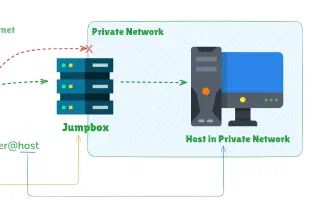
Understanding TLS Tunnels: Secure Channels for Encrypted CommunicationTue, Aug 22, 2023 guide tlsExplore TLS tunnels – secure, encrypted channels for client-server communication. Create one easily with Pinggy for secure localhost connections.
Ngrok - But without downloading anythingSat, Aug 12, 2023Get localhost tunnels without downloading anything. Unlike Ngrok which requires platform-specific downloads, Pinggy works with just one command.
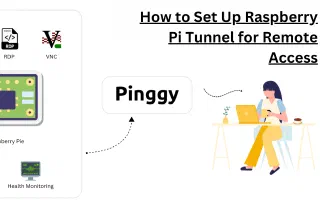
Remote Desktop for Raspberry Pi and other IoT devicesFri, Aug 11, 2023 guide tcp raspberry piHow to reach your Raspberry Pi desktop from anywhere over RDP using xrdp on the Pi and a Pinggy TCP tunnel. Includes the Wayland/labwc gotcha on current Raspberry Pi OS and how to work around it.
Access localhost from your phone!Thu, Aug 10, 2023 update guideAccess localhost on your phone with Pinggy's QR code support. Start a tunnel, press 'u' or 'c' for QR, or use 'qr'/'aqr' usernames for persistent QR codes.
Updates to counter deceptive content distributionSun, Jul 16, 2023 updateLatest steps Pinggy has taken to combat deceptive content distribution. Domain updates and enhanced security measures to ensure secure tunneling experience.
Fast DNS Records with AWS Route 53Thu, Jun 22, 2023Explore challenges and solutions for rapid DNS updates using AWS Route 53. Learn why hosting your DNS server with PowerDNS may provide a faster alternative.
Access IoT Devices from AnywhereFri, Jun 9, 2023 guide tcpAccess and manage your IoT devices including Raspberry Pi from anywhere using Pinggy TCP tunnels - no public IP required.
Simplifying Traffic Inspection with PinggyWed, May 31, 2023Discover how Pinggy's advanced traffic inspection and web debugger streamline debugging with real-time network traffic insights. Optimize workflow and performance.
Sharing Jupyter Notebooks from localhostMon, May 29, 2023 guide httpEffortlessly share Jupyter Notebooks globally with Pinggy. Securely collaborate and obtain a public URL for your locally running Jupyter Notebook.
You can host your website on Android! Here's how.Mon, May 1, 2023 guide androidTurn an Android phone into a small web server with Termux and Pinggy. Step-by-step: install Termux from F-Droid, serve a page, expose it over an SSH tunnel.