In this article
Ngrok has long been the default choice for developers who need to expose local services to the internet. It’s powerful and feature-rich, but its pricing, bandwidth caps, and mandatory sign-up process have pushed many developers to look elsewhere.
Whether you need a simpler setup, unlimited bandwidth, UDP support, or just a free option that works out of the box there’s a strong Ngrok alternative for every use case. In this article, we compare the best 10 alternatives to Ngrok in 2026, breaking down features, ease of use, and pricing to help you pick the right tool.
Summary
This blog covers the top 10 Ngrok alternatives in 2026: Pinggy, Cloudflare Quick Tunnels, Tailscale, Zrok, Localtunnel, LocalXpose, Playit.gg, localhost.run, Inlets, and LocalCan. The comparison focuses on setup, deployment model, and pricing across managed tunnels, GUI clients, self-hosted gateways, and cloud-edge networking.
It also includes the top 5 open source Ngrok alternatives: frp, sshuttle, chisel, Pangolin, and OpenZiti. Use that shortlist when you care more about ownership, flexibility, and self-hosting than a managed service.
For AI-agent workflows, Pinggy is the one tool here with both a tunnel-specific Agent Skill and an MCP server, so an agent can read how Pinggy works and operate tunnels directly. Ngrok shipped its own Agent Skill in May 2026 (still no first-party MCP server), Cloudflare offers platform-wide Skills and MCP servers, Tailscale has a docs MCP server plus an alpha skill, and LocalCan ships an MCP server for its desktop app.
List of top 10 Ngrok alternatives in 2026
- Pinggy
- Cloudflare Quick Tunnels
- Tailscale
- Zrok
- Localtunnel
- LocalXpose
- Playit.gg
- localhost.run
- Inlets
- LocalCan
AI agent support
AI coding agents can run normal CLI commands for almost any tunneling tool if you give them terminal access, but official agent support is more useful because it gives the agent product-specific instructions or direct tool access. This part of the market moved fast over the last few months, so here is where it stands today.
Pinggy provides both halves: a Skill that teaches the agent how Pinggy tunnels, flags, SDKs, and commands work, and an MCP server that lets supported agents create, inspect, and manage tunnels through tool calls (Claude Code, Claude Desktop, Cursor, VS Code, and Windsurf). You can install the Pinggy skill with npx skills add https://pinggy.io, and the full setup is documented in Pinggy’s AI Agents guide. The MCP server is still labelled early and experimental in those docs.
Ngrok itself is no longer absent from this category. It published an official Agent Skill in May 2026 at github.com/ngrok/agent-skills, installable with npx skills add ngrok/agent-skills, which ships an expose-localhost skill. There is still no first-party Ngrok MCP server; Ngrok’s MCP documentation is about putting a tunnel in front of someone else’s MCP server, not about driving Ngrok from an agent.
Cloudflare has the broadest setup, through Cloudflare Skills and MCP servers covering Zero Trust, Access, Gateway, and observability, which is useful when Cloudflare Tunnel is part of a larger Cloudflare account. Tailscale has a documentation MCP server and an alpha Agent Skill, both aimed at explaining Tailscale rather than running tunnels. LocalCan ships an MCP server for its desktop app. For LocalXpose, Localtunnel, Zrok, localhost.run, Inlets, and Playit.gg, no official Agent Skill or vendor MCP setup turned up during this update, so those are best treated as ordinary CLI or GUI tools from an agent’s point of view.
Overview of Ngrok
Before jumping into the alternatives for Ngrok, we will have a brief overview of Ngrok itself.
Ngrok provides tunnels for ingress through its programmable network edge. It offers HTTPS, TCP, and TLS tunnels.
Pros of Ngrok
Ngrok provides observability, request inspection, replay, webhook verification, advanced routing, global load balancing, Kubernetes support, and multiple authentication options such as Basic Auth, OAuth 2.0, JWT, and mTLS. These features make it a mature option for teams that need more than a simple public localhost URL.
Cons of Ngrok
In order to use Ngrok, you must download the Ngrok client and sign up for an account. Its main limitations for some developers are the lack of UDP tunnel support, bandwidth limits on the entry paid plan, no root apex domain support, and a setup flow that is heavier than simple SSH-based tunnel tools.
Pricing
The free plan gives you 1GB of transfer, 20k HTTP/S requests, 3 endpoints, and an interstitial page. The Hobbyist plan starts at $8/month (billed annually) or $10/month, and includes 5GB of data transfer and 100k HTTP/S requests. The Pay-as-you-go plan is $20/month with unlimited endpoints, custom domains, wildcard endpoints, and overage at $0.10/GB and $1 per 100k requests. Watch the domain metering on that plan: bringing your own domain is billed at $0.01 per active hour, which works out to roughly $7.30/month for a domain you keep online.
1. Pinggy.io
Pinggy.io lets you start a tunnel without downloading anything. A single command gives users access to your website / app hosted in localhost without configuring the cloud, or any port forwarding, or DNS, or VPN. The Pro plan is 3 USD per month, less than half of Ngrok’s entry plan.
Three things in particular are Pinggy’s advantages over Ngrok:
- Unlimited bandwidth. No monthly transfer cap and no per-GB overage on paid plans, where Ngrok’s entry plan stops at 5GB and then bills $0.10/GB.
- Apex domain support. You can point
example.comitself at a tunnel, not justapp.example.com. Ngrok’s own docs state it does not support apex domains. - UDP tunnels. Ngrok has no UDP support at all, so game servers, DNS, WireGuard, and QUIC are off the table there.
To get how simple it is to open a tunnel, here is an example. If you want to share your React app running on localhost:3000, you can do so using pinggy with the command.
Run this command to start tunnel:
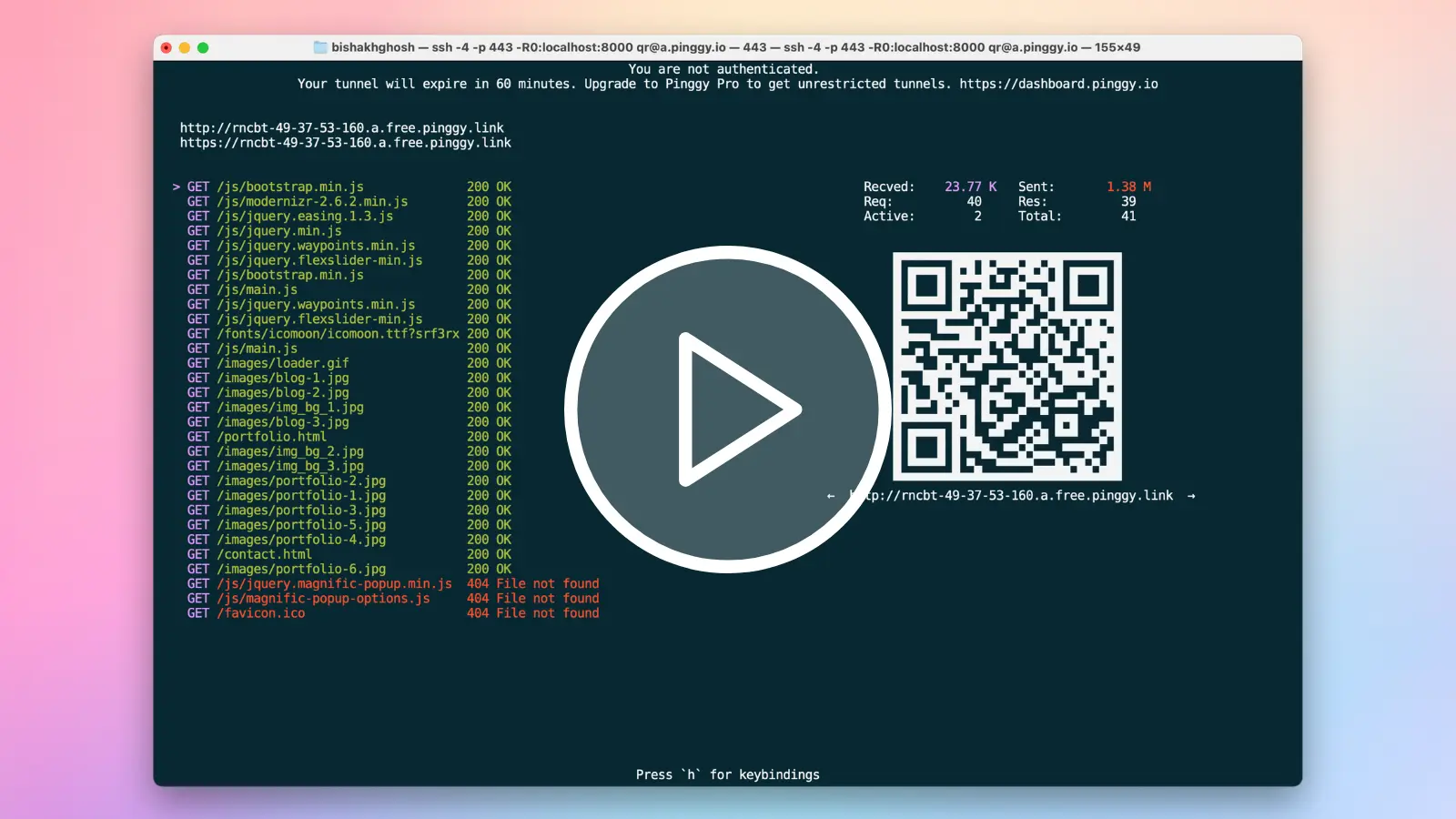
Pinggy is one of the Ngrok alternatives which you can try out for free without signing up for an account. Over Ngrok, it provides features such as QR codes for tunnel URLs and an HTTP request / response inspection tool within the terminal.
Pinggy is also built for AI-agent workflows. The Pinggy Agent Skill can be installed with npx skills add https://pinggy.io, giving agents ready-made instructions for Pinggy SSH commands, CLI usage, SDKs, flags, and tunnel types. If you want the agent to operate tunnels directly, Pinggy also provides an MCP server so tools like Claude Code, Claude Desktop, Cursor, VS Code, and Windsurf can start, stop, inspect, and manage tunnels from natural-language prompts. In practice, this means you can ask an agent to expose a local dev server, open a TCP tunnel, share a folder, or list active tunnels without manually reconstructing each command. See the Pinggy AI Agents docs for the install steps.
Pros of Pinggy
Pinggy’s biggest advantage is that you can start quickly without downloading a client or signing up for a test tunnel. It supports unlimited bandwidth, UDP tunnels, custom domains including root apex domains, wildcard domains, HTTP basic authentication, bearer token authentication, key authentication, IP whitelisting, remote tunnel management, and a terminal UI with QR codes and request inspection. It also includes a built-in web debugger for monitoring, inspecting, modifying, and replaying HTTP requests, Node.js and Python SDKs for driving tunnels from code, and it works across Mac, Windows, Linux, and Docker.
Cons of Pinggy
Compared with Ngrok, Pinggy is cheaper and easier to start with, but it does not currently provide OAuth 2.0 authentication for tunnel visitors or global edge load balancing.
Price of Pinggy
Pinggy is one of the cheaper Ngrok alternatives. It has a free tier, and the paid tier starts at $2.5 per month (billed annually). It offers all features including custom domains, persistent TCP ports, live header manipulation, in this plan.
Comparing Ngrok and Pinggy
| Feature | Pinggy | Ngrok |
|---|---|---|
| Entry paid plan | Pro starts at $2.5/month (annual) or $3/month | Hobbyist starts at $8/month (annual) or $10/month |
| Unlimited bandwidth on paid plan | Yes | No (5GB on the Hobbyist plan, then $0.10/GB) |
| UDP tunnel support | Yes | No |
| Custom domain support | Supports subdomain and apex domain | Subdomains on Pay-as-you-go only, metered at $0.01 per active hour; apex root domain not supported |
| Start without sign-up | Yes | No |
The apex domain row is not our reading of the docs, it is what Ngrok says itself:
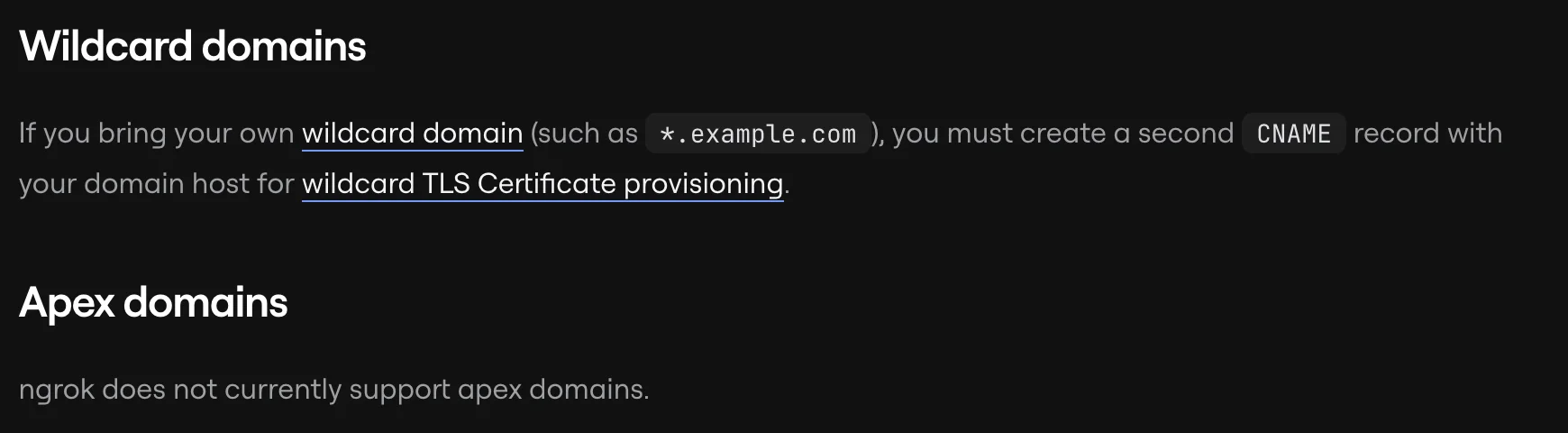
Source: Ngrok’s Using Custom Domains docs. With Pinggy you can put a tunnel on example.com directly, no www or subdomain required.
2. Cloudflare Quick Tunnels
Cloudflare Quick Tunnels (TryCloudflare) are the part of Cloudflare Tunnel that behaves like Ngrok. Install the cloudflared daemon, run one command, and you get a random HTTPS URL on trycloudflare.com pointed at your local port:
cloudflared tunnel --url http://localhost:8080No account, no domain on Cloudflare, no DNS record, no inbound port. cloudflared opens an outbound-only connection to the nearest Cloudflare edge and requests come back down it, so your machine is never directly reachable and you get Cloudflare’s DDoS filtering along the way. The tunnel is ephemeral by design: kill the process and both the tunnel and its hostname are gone.
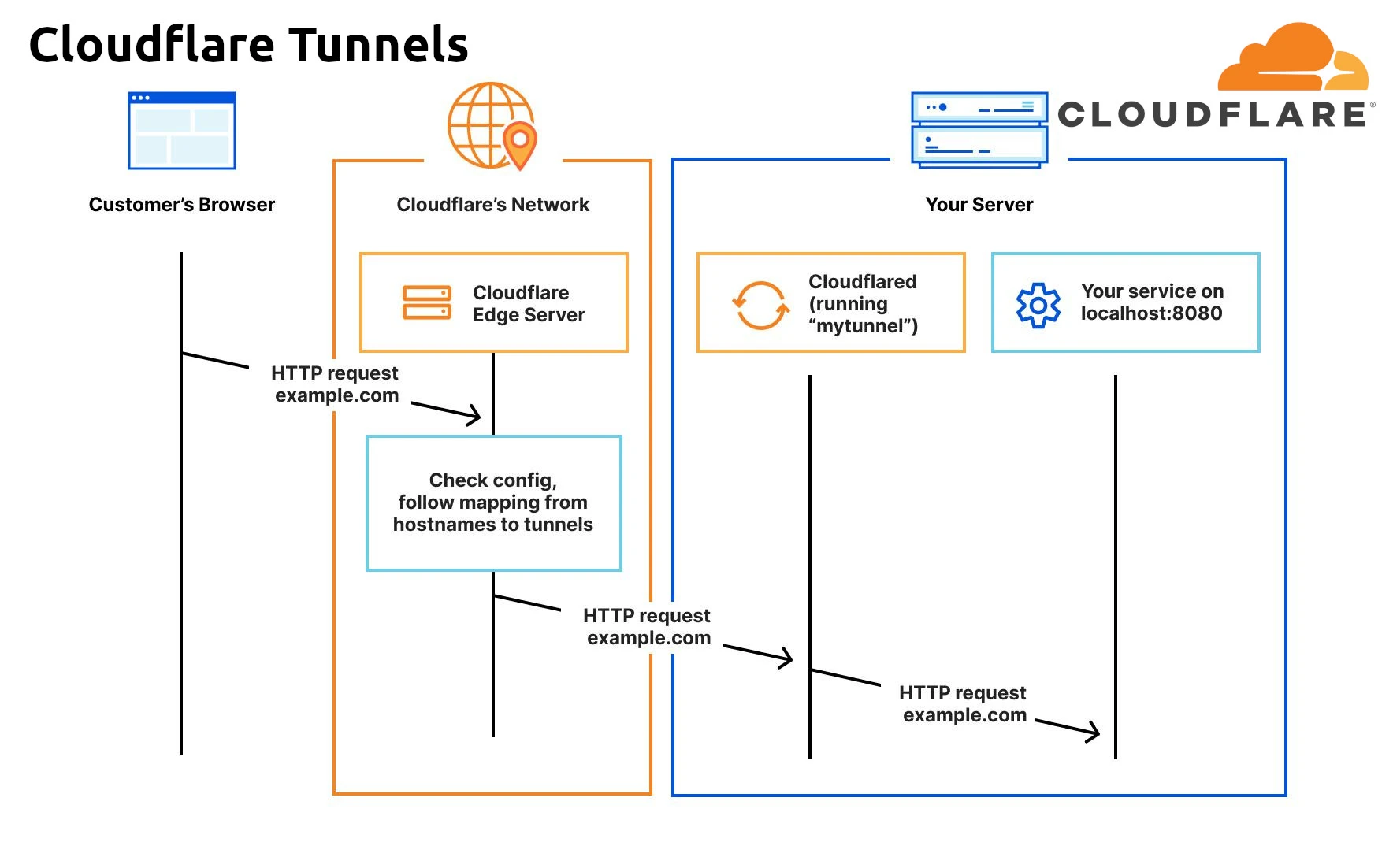
The production sibling is the named tunnel (formerly Argo Tunnel), which is what Cloudflare’s Cloudflare Tunnel docs are mostly about. That one gives you a stable hostname on your own domain, Access policies, and Zero Trust Network Access for HTTP servers, SSH, and remote desktops through the Cloudflare Access side of the platform. It also costs you a Cloudflare account, a domain on Cloudflare, and a config file. Quick tunnels skip all of that for testing.
Cloudflare is one of the few tools in this list with official agent-facing tooling, and try.cloudflare.com now pitches quick tunnels straight at coding agents: a throwaway public URL per build-test loop, and JSON on stdout so an agent reads the hostname from structured output instead of regexing the startup banner (--output json, cloudflared 2025.6.1 and later). Beyond that, Cloudflare’s Agent setup docs cover nine agents: Bionic, Claude Code, Codex, Command Code, Cursor, GitHub Copilot, OpenCode, Visual Studio Code, and Windsurf. Cloudflare Skills provide platform context, the cloudflare-one skill covers Zero Trust and SASE deployments including Tunnel, and Cloudflare MCP servers give agents live access to Cloudflare APIs, docs, and observability. That is a lot of leverage if you already run Cloudflare, but it is account-centric platform tooling, and a quick tunnel has no account behind it.
Cloudflare’s own quick-start page for this is try.cloudflare.com, which carries the install line and the one command above.
Pros of Cloudflare Quick Tunnels
A quick tunnel is the fastest public HTTPS URL Cloudflare will give you: one binary, one command, no sign-up, no domain, no DNS propagation. Traffic rides Cloudflare’s network with DDoS filtering and automatic HTTPS, nothing inbound is opened on your machine, and it is free. For previews, webhook callbacks from Stripe or GitHub, CI jobs, and agent loops, that is usually enough.
Cons of Cloudflare Quick Tunnels
The hostname is random and changes on every restart, so anything you paste into a webhook config or a shared doc breaks the next run. Reserved subdomains and custom domains mean creating a named tunnel, which pulls the account and domain requirement straight back in. You also have to install cloudflared first, so there is no zero-install SSH one-liner. The documented limits are worth reading before you lean on it: 200 in-flight requests before Cloudflare returns 429, no Server-Sent Events, no SLA, and Cloudflare openly tests new tunnel features on these free tunnels. A leftover config.yaml in your .cloudflared directory also stops quick tunnels working, which is a confusing failure if you set up a named tunnel at some point.
Non-HTTP traffic is the bigger catch. A quick tunnel hands you an HTTPS URL, and arbitrary TCP means going back to a named tunnel with the other machine running cloudflared access tcp --hostname ... --url ... against a hostname behind an Access policy, so you never get the plain public TCP endpoint that Ngrok or Pinggy hand you. UDP and ICMP go further still and require the Cloudflare One client (formerly WARP) with Zero Trust enrollment and Split Tunnel configuration.
Price of Cloudflare Quick Tunnels
Quick tunnels are free and need no account. Named tunnels are free too; their limits are account-level rather than bandwidth-level: 1,000 cloudflared tunnels and 1,000 routes per account, 500 Access applications, and a request body cap of 100 MB on Free and Pro (200 MB on Business).
3. Tailscale
Tailscale takes a fundamentally different approach compared to traditional tunneling tools. Rather than exposing a single service through a tunnel, Tailscale creates a peer-to-peer mesh VPN built on the WireGuard protocol. Traffic flows directly between devices without passing through a central server, which results in lower latency, higher throughput, and better reliability.
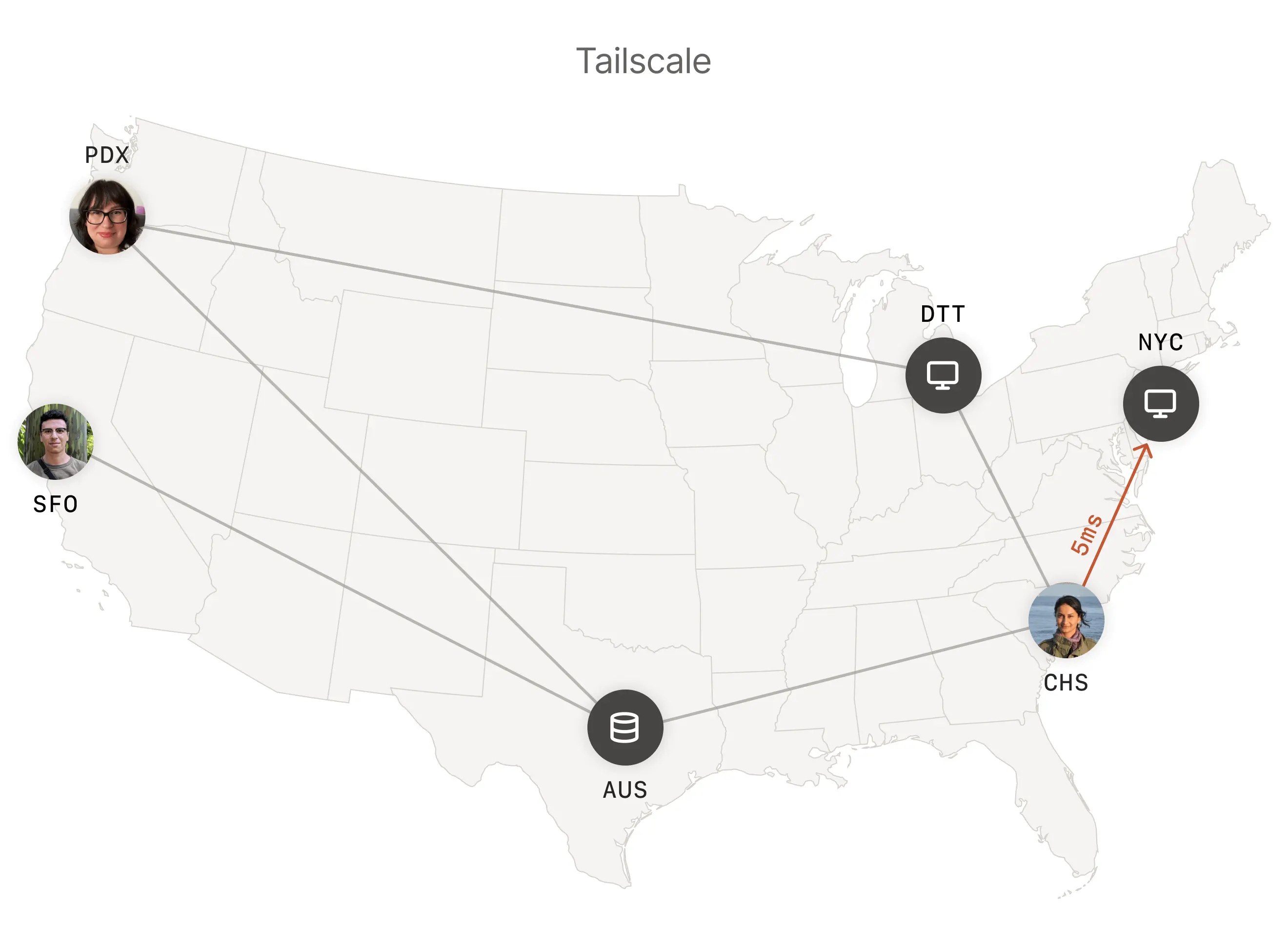
Where Tailscale becomes relevant as an Ngrok alternative is through its Tailscale Funnel feature. Funnel routes external internet traffic to specific nodes on your Tailscale network, effectively making a local service publicly accessible, but within the context of a full mesh VPN. Funnel is still documented as beta and only serves on ports 443, 8443, and 10000.
Tailscale has also picked up agent tooling since our last update: there is a remote MCP server at https://tailscale.mcp.kapa.ai/ for documentation search, and an alpha Agent Skill you can install with npx skills add https://github.com/tailscale/tailscale-skill. Both are aimed at helping an agent understand Tailscale rather than at driving tunnels directly.
Pros of Tailscale
Tailscale is excellent when you want a private mesh network rather than a simple public tunnel. It uses WireGuard, handles NAT traversal well, supports many platforms and cloud providers, includes MagicDNS and ACL-based access control, and has a useful free Personal tier.
Cons of Tailscale
As an Ngrok replacement, Tailscale is a different category of tool. You usually need Tailscale installed on participating devices, and Funnel is less direct than dedicated tunneling products for simple public URL sharing. Funnel’s three fixed ports and beta status also make it a poor fit for arbitrary TCP or UDP tunnels.
Price of Tailscale
Tailscale’s free Personal tier supports up to 6 users with unlimited user devices, plus 50 tagged resources. Paid plans are seat-based: Standard is $8 per user/month, Premium is $18 per user/month, and Enterprise is custom-priced for larger organizations. Since April 2026, Standard and Premium bill per assigned seat rather than per active user, so the sticker price is unchanged but unused seats still count toward the invoice.
4. Zrok
Zrok is an open source Ngrok alternative that operates on the principles of zero trust networking. Built on top of OpenZiti, a programmable zero trust network overlay, zrok provides users with a secure and efficient way to share resources both publicly and privately.
Users can download zrok from GitHub https://github.com/openziti/zrok/releases/latest. It is one of the best self-hosted alternatives of Ngrok.
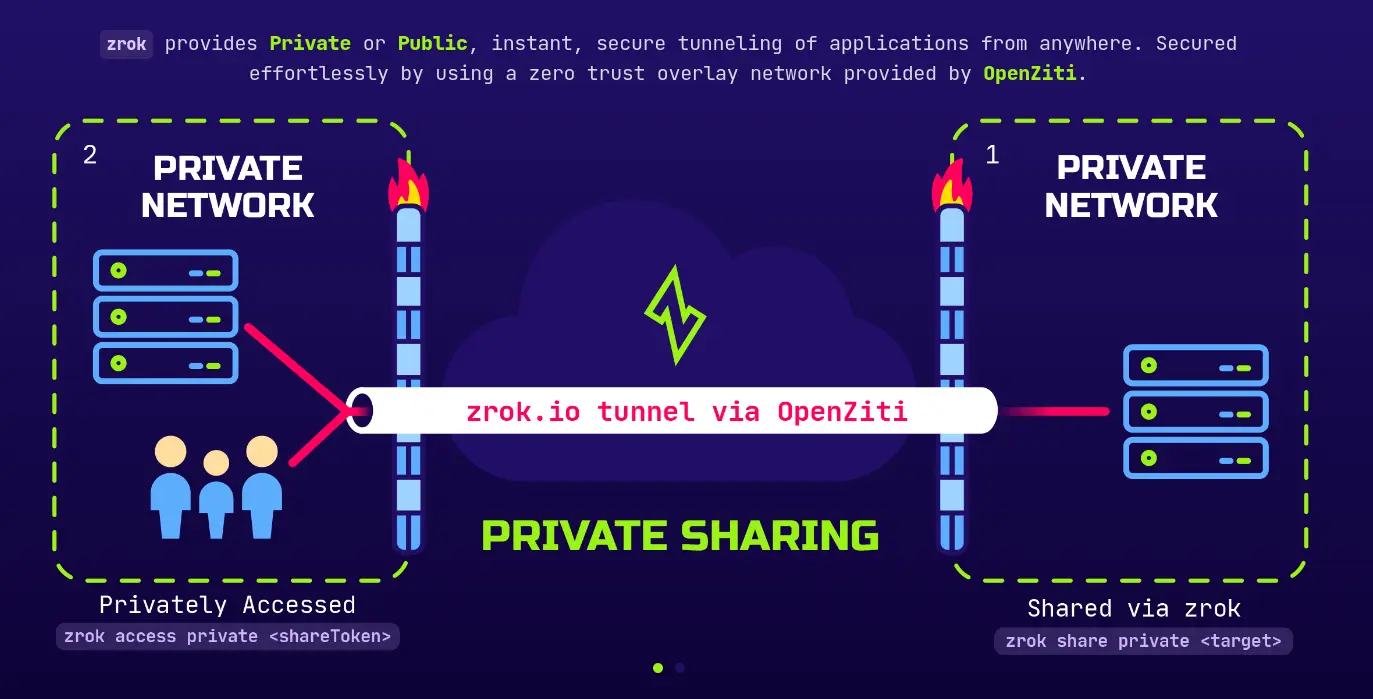
One thing to know before upgrading: zrok v2.0.0 (March 2026) was a breaking release. The binary is now zrok2, namespaces and reserved names replace the old reserved-share system, and there is a new dynamicProxy frontend. The latest release is v2.0.4 from May 2026. The VPN backend was dropped along the way; the remaining share backends are proxy, web, drive (WebDAV), tcpTunnel, udpTunnel, and socks. Documentation has also moved from docs.zrok.io to netfoundry.io/docs/zrok.
Pros of Zrok
Zrok is attractive if you want an open-source and self-hostable tunneling platform built around private resource sharing. It supports a built-in file server and UDP tunnels, and it is a good fit for teams that care about ownership and zero-trust networking.
Cons of Zrok
The downside is that the initial setup is more involved than managed tunnel services, the v2 rename means older tutorials and scripts need updating, and traffic introspection or replay features are not available in the same way they are in tools focused on webhook debugging.
Price of Zrok
Zrok remains open source and self-hostable. The managed service has a single free tier ($0/month) that includes 5GB of daily transfer, up to 25 environments, 50 share backends, and 50 private access frontends, with an interstitial page unless you add a verified credit card. Production workloads with SLAs and custom limits are available through commercial arrangements with NetFoundry.
5. Localtunnel
Localtunnel is a Ngrok alternative that comes as an npm package. The package lets you create http / https tunnels to localhost. It provides a random subdomain when you run it through your terminal. Being a node package, localtunnel can be integrated to your applications as a library and you can use it to test your nodejs apps.
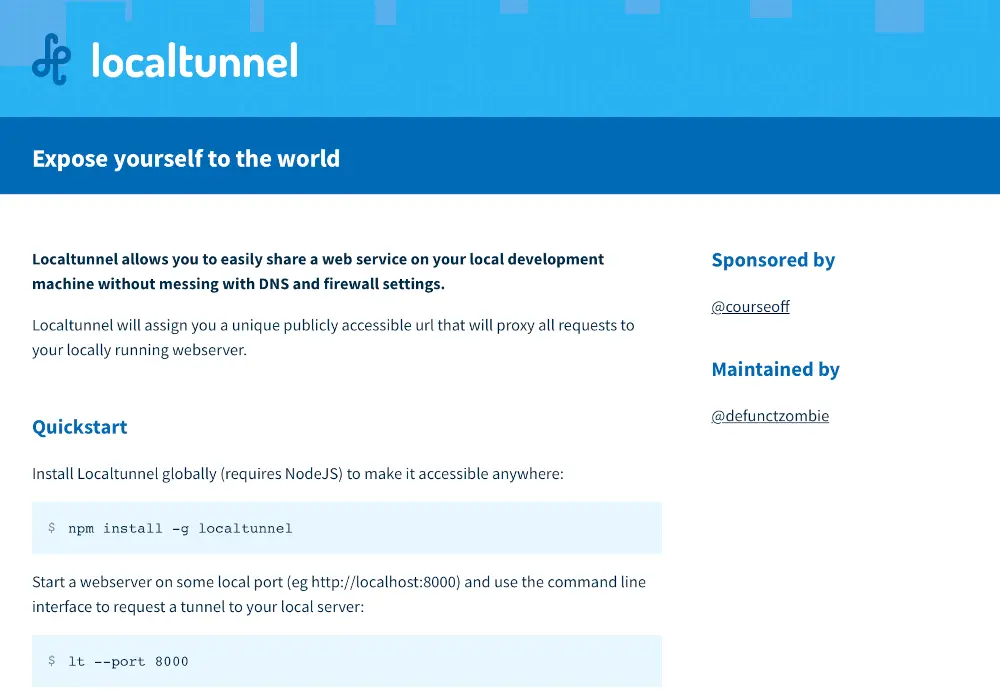
Localtunnel is still here mostly on the strength of its distribution. It pulls roughly 2.4 million npm downloads a month, more than @ngrok/ngrok does, and it is baked into a lot of tutorials and test scripts. Maintenance is another story: the last published npm version is 2.0.2 from September 2021, the last real code commit landed in August 2022, and the issue tracker carries well over a hundred open reports, including recurring ones about the public loca.lt server timing out or returning 503s. Use it for throwaway testing, not for anything you need to stay up.
Pros of Localtunnel
Localtunnel is simple and works well when you want an npm-based HTTP tunnel that can also be used from JavaScript projects. It works across Mac, Windows, and Linux, and there is nothing to sign up for.
Cons of Localtunnel
Localtunnel is limited to HTTP-style use cases. It does not provide TCP tunnels, TLS tunnels, custom domains, or persistent custom subdomains, and because it depends on Node.js it is not ideal for IoT or constrained environments where Node is unavailable. The bigger issue in 2026 is reliability: the shared public server goes down with some regularity and nobody is actively fixing it.
Price of localtunnel
Localtunnel is free and it does not have a paid tier. It does not provide custom domain or subdomains or TCP tunnels.
6. LocalXpose
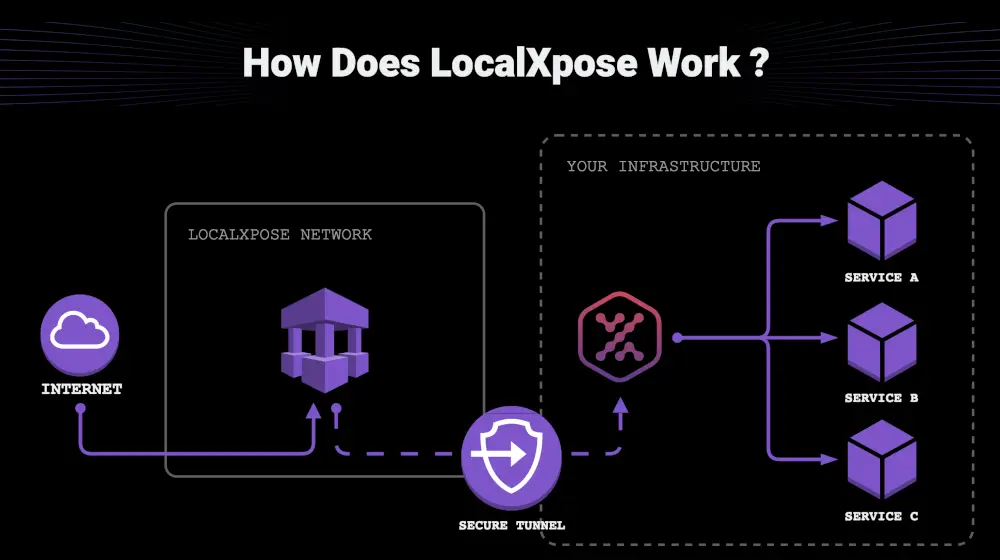
LocalXpose is a reverse proxy tool that provides a public URL to localhost. This is one of the most feature complete alternatives of Ngrok. By downloading their client you can create HTTP / HTTPS tunnels, and also TCP / TLS as well as UDP tunnels. LocalXpose also provides a built-in file server to share your files instantly.
Pros of LocalXpose
LocalXpose is strong when you need a more complete tunneling client with UDP support, wildcard custom domains, a built-in file server, request and response viewing, editing tools, and a GUI. The file server, header editing, basic and key authentication, rate limiting, and IP whitelisting are available on every plan, including the free one.
Cons of LocalXpose
The tradeoff is that you need to download its client before starting a tunnel, and the free Starter tier is thin: two active HTTP/HTTPS tunnels, time limits, and an interstitial warning page. TCP, TLS and UDP tunnels, custom and wildcard domains, and reserved subdomains are all PRO-only. It is also less suitable if you want a library or plugin-style integration, and it does not provide OAuth 2.0 authentication for tunnel visitors.
Price of LocalXpose
LocalXpose has a free Starter tier and a PRO plan at $8 per month, or $96 per year, which raises the limit to 10 tunnels and unlocks the non-HTTP tunnel types and custom domains.
7. Playit.gg
Playit.gg is a tunneling tool built with gamers in mind. It provides both TCP and UDP tunnels, making it a go-to choice for hosting game servers like Minecraft, Terraria, and other multiplayer titles. Beyond gaming, it also supports custom domains and subdomains for general-purpose tunneling.
Getting started requires downloading the Playit.gg client, which is available for Windows, Mac, Linux, and Docker. The client application is open source, adding transparency and trust.
Pros of Playit.gg
Playit.gg’s main strength is TCP and UDP tunneling for game servers. The free tier is genuinely usable for a small game server, the client is open source, it runs on Windows, Mac, Linux, and Docker, and Premium is inexpensive compared with developer-focused tunnel services.
Cons of Playit.gg
The main limitation is focus: Playit.gg is optimized for gaming, so web development, webhook testing, traffic inspection, and professional development workflows are not as central to the product. The free tier is also narrower than it looks. You get 4 ports in total (not 4 TCP plus 4 UDP) and the built-in game presets for titles like Minecraft, Palworld, Terraria, Factorio, and Valheim, while the generic UDP, TCP, TCP+UDP, SSH, and HTTPS tunnel types require Premium.
Price of Playit.gg
Playit.gg has a free tier with 4 ports and game-specific presets. Premium is $3 USD per month and raises the port limit from 4 to 16, adds regional tunnels, three .playit.plus domains, external domain support, and more firewall rules and agents.
8. localhost.run
localhost.run is possibly the simplest tunneling tool which is client-less and can instantly make a locally running application available on an internet accessible URL.
Run the following command to create a tunnel to a local app on port 8080:
ssh -R 80:localhost:8080 localhost.run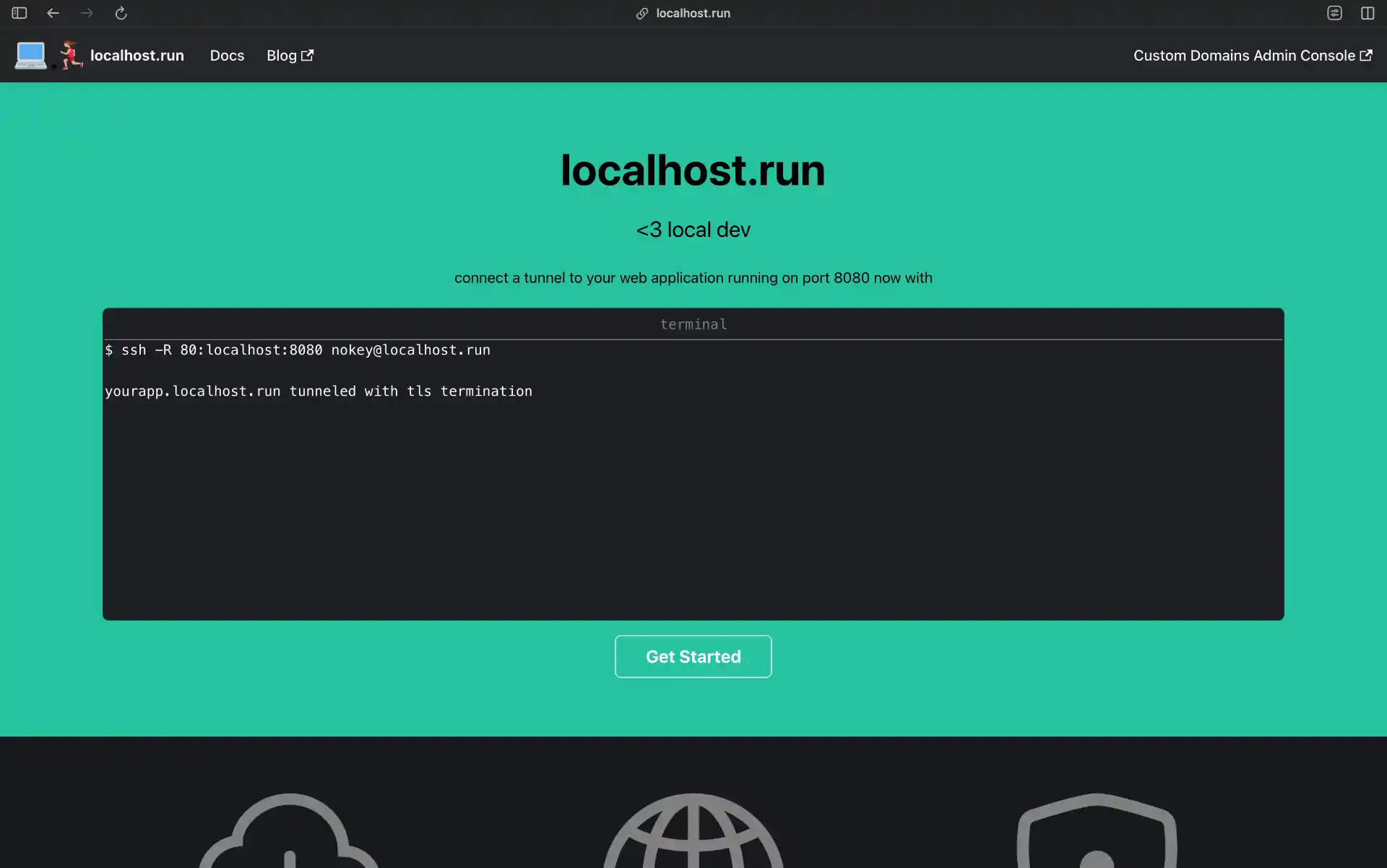
Pros of localhost.run
localhost.run is useful when you want the simplest possible SSH-based tunnel and do not want to install a client. A single terminal command is enough for quick testing or prototyping, and a free option is available.
Cons of localhost.run
The limitation is that localhost.run is intentionally minimal. Compared with Ngrok or Pinggy, it has far fewer controls around inspection, debugging, authentication, and advanced tunnel management. On the free tier your domain name changes regularly and traffic is speed-limited, which the project frames as an anti-phishing measure.
Price of localhost.run
localhost.run has a free option and a Custom Domain subscription at $9/month billed annually, which adds a domain of your own and removes the speed limit. See custom domain pricing details.
9. Inlets
Inlets is a cloud-native tunnel that combines the best features of tunnels and VPNs. It’s designed to work seamlessly from development to production, supporting HTTP, HTTPS, websockets, and TCP traffic, with UDP forwarding added to TCP tunnels in version 0.11.13 (July 2026). Unlike SaaS tunneling solutions, Inlets is self-hosted software that gives you complete control over your infrastructure.
Inlets works well on bare-metal, in containers, and on Kubernetes, with built-in support for Prometheus metrics. It can expose services publicly or create private VPN-like tunnels. The tool is particularly popular among developers who need to test webhooks from services like Stripe, GitHub, and Slack without deploying to production. Development is steady: 0.11.16 shipped in September 2026.
Pros of Inlets
Inlets is better suited to teams that want a self-hosted tunnel with more control over infrastructure and data sovereignty. It supports HTTP, HTTPS, websockets, TCP, and now UDP tunnels, works through NAT and corporate firewalls, integrates well with Kubernetes, and includes useful production features such as OAuth authentication for HTTP tunnels and Prometheus metrics.
Cons of Inlets
The tradeoff is cost and setup effort. Inlets requires your own server infrastructure, has a steeper learning curve than SaaS tunnel tools, and uses commercial pricing rather than a free open-source model. There is no free tier at all, which makes it a poor fit for casual localhost sharing.
Price of Inlets
Inlets pricing is subscription-based: Personal is $25/month (single-user, non-commercial, 5 tunnels), Pro Commercial starts at $50/month (2 tunnels, with additional tunnels at $25/month each), and Inlets Uplink starts at $250/month (for service providers, 10 tunnels per cluster). See inlets.dev pricing for current plan details.
10. LocalCan
LocalCan is a desktop-native Ngrok alternative for developers who prefer a graphical interface over command-line tools. It specializes in two things: providing .local domains for HTTPS testing on your local network, and generating persistent public URLs to share localhost projects with anyone on the internet.
For developers who frequently demo work to clients, test OAuth callbacks, or need HTTPS locally for development, LocalCan streamlines the entire workflow through a clean GUI, no terminal commands required.
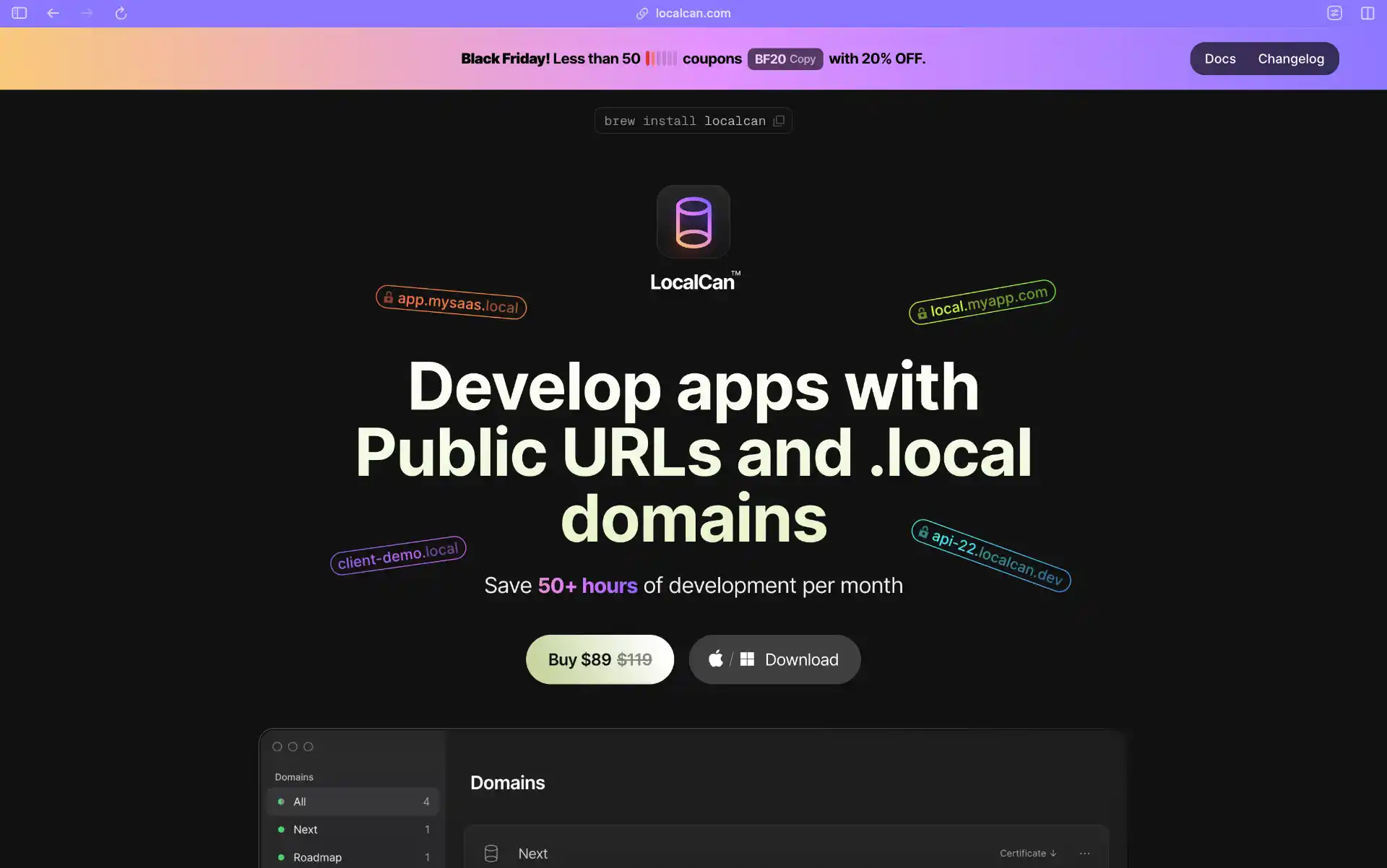
LocalCan changed shape since our last update. Linux builds have shipped, so it is no longer macOS and Windows only, there is now a free tier, and the pricing moved from one-time licenses to subscriptions. It also ships an MCP server, so AI agents can drive it.
Pros of LocalCan
LocalCan is strongest for developers who prefer a desktop app over terminal commands. It provides a native macOS, Windows, and Linux interface, unlimited .local domains for local network testing, persistent public URLs, and automatic HTTPS certificate generation. That makes it convenient for OAuth callbacks, webhook testing, demos, and testing projects across multiple devices on Wi-Fi.
Cons of LocalCan
The free tier is tight: one live public URL, 60-minute sessions, and 1 GB of transfer a month. Paid plans are per-device rather than per-seat, and there is no SSH-style zero-install path, so it is the wrong tool if you want to open a tunnel from a server over the terminal.
Price of LocalCan
LocalCan has a free tier (1 public URL, 60-minute sessions, 1 GB/month) and a 14-day trial on paid plans with no credit card required. Solo is $8/month, Pro is $12/month for 1 user and 2 devices, and Teams is $45/month for 3 seats with extra seats at $15 each. Yearly billing saves up to 25%. The one-time option is now a Lifetime license at $189 for 2 devices, 10 public URLs, and 4 custom domains, with a year of updates included.
New entrants worth watching
A few newer tools have picked up real traction since this list was first written, though none have the track record yet to displace the top 10 above.
Localtonet bills per tunnel rather than per plan: a free tier gives you 1 tunnel, 1GB/month and a 30-minute timeout, and pay-as-you-go is $2/month per tunnel with unlimited tunnels, unlimited bandwidth, no timeout, and custom domains. It has dedicated UDP and mixed UDP/TCP tunnel types.
InstaTunnel leans on a generous free tier: 24-hour sessions, 3 concurrent tunnels, custom subdomains, password protection, and basic analytics. Paid plans are $5/month for 10 tunnels and $15/month for 25 tunnels with SSO.
21tunnel is the one built around AI coding agents. Its pitch is scoped child API keys with cascade revoke, so you can hand an agent a key that only opens the tunnels you allow and kill it in one step, plus custom domains on the free Hobby tier (3 tunnels). Pro is $10/month for 20 tunnels. Be careful with the benchmarks circulating about it, since the roundup that ranks it first is written by its own maintainer.
Tunnelto, an open-source Rust tool, spiked to roughly #3 on GitHub trending in late December 2025, gaining 565 stars in a day on its way to about 7,000. The attention is not matched by activity: the last tagged release is v0.1.18 from May 2021 and the last commit landed in September 2022. The hosted tunnelto.dev service is still up and still sells reserved subdomains at $4 per user/month, but treat the project as dormant rather than actively developed.
Top 5 Open Source Ngrok alternatives
If you are looking only for open source Ngrok alternatives, the strongest shortlist is frp, sshuttle, chisel, Pangolin, and OpenZiti (Ziti). These tools give you more ownership and flexibility than managed SaaS tunnels, but they usually require more setup and maintenance.
Pangolin replaces bore on this list. Bore is still a tidy little TCP forwarder, but its last tagged release was v0.6.0 in June 2025 and the repository has had no commits in the past six months, so it is hard to recommend for anything you plan to keep running.
1. frp (Fast Reverse Proxy)
frp is a fast and reliable reverse proxy tool. It supports HTTP, HTTPS, TCP, UDP, and WebSocket protocols, making it one of the most versatile open-source alternatives to Ngrok. At roughly 109k stars it is the most popular tool in this entire article, and it is actively maintained, with v0.71.0 released in August 2026.
Pros of frp
frp can use custom subdomains and domains, token-based authentication, traffic compression, encryption, load balancing, and multiplexing. It is lightweight, well documented, and suitable for complex self-hosted setups.
Cons of frp
The main drawback is that frp requires you to configure and operate the server component yourself, so it is less convenient than a managed tunneling service.
2. sshuttle
sshuttle is a unique tool that works like a VPN over SSH.
Pros of sshuttle
sshuttle forwards traffic through an SSH connection, supports TCP and DNS forwarding, and can be useful when you need secure access into private networks without installing a client on the remote machine.
Cons of sshuttle
It is not a direct public URL tunneling tool like Ngrok, and it requires an SSH server on the remote end, so beginners may find it less approachable. Releases are also infrequent: v1.3.2 dates to August 2025, although commits are still landing regularly, so most distributions ship a build that is a year behind the main branch.
3. Chisel
chisel is a fast and modern tunneling tool that tunnels TCP and UDP over HTTP, secured with SSH. Version 1.12.0 shipped in August 2026.
Pros of Chisel
Chisel is distributed as a small portable binary and includes TLS support. It forwards both TCP and UDP (UDP has been supported since v1.7, with remotes written like 1.1.1.1:53/udp) and can act as a SOCKS5 proxy, which makes it a handy single-binary answer for reverse port forwarding through a firewall.
Cons of Chisel
Chisel forwards ports; it does not hand you a public HTTPS URL for a local web app the way Ngrok or Pinggy do, so it is a different shape of tool. You also need to run your own chisel server, and the community is smaller than larger managed tunneling platforms.
4. Pangolin
Pangolin is a self-hosted tunneled reverse proxy with identity and access control, positioned as the open-source answer to Cloudflare Tunnel. You run it on a VPS with a public IP, connect private sites over WireGuard, and get authenticated public URLs for services that sit behind NAT.
Pros of Pangolin
Pangolin is the most active open-source project in this space right now: roughly 23k stars, releases landing regularly (1.22.2 in September 2026), and thousands of commits over the last six months. It bundles a reverse proxy, identity-aware access control, SSO, and a web dashboard, so you get the Cloudflare Tunnel experience without handing traffic to a third party.
Cons of Pangolin
You need a VPS and a domain, and you are now operating an authentication gateway, which is more responsibility than running a throwaway tunnel client. It is also young compared with frp or OpenZiti, so expect faster-moving releases and more churn in the docs.
5. OpenZiti (Ziti)
OpenZiti (Ziti) is an open-source, programmable zero-trust overlay network, and it is the engine underneath Zrok. Development is brisk, with v2.0.3 released in August 2026.
Pros of OpenZiti
OpenZiti supports secure private and public resource sharing without exposing public endpoints, and it is highly customizable for self-hosted environments.
Cons of OpenZiti
The main tradeoff is complexity: OpenZiti is powerful, but its initial setup can be difficult for beginners who only need a quick localhost sharing tool.
Conclusion
Pick by the shape of the job: Pinggy or localhost.run for a one-command tunnel with nothing to install, Cloudflare Quick Tunnels for a free throwaway HTTPS URL on Cloudflare’s network once you have cloudflared on the box, LocalXpose for a GUI with UDP, Playit.gg for game servers, and Zrok, Pangolin, or frp if you would rather self-host. If AI coding agents are part of your workflow, Pinggy is still the only tool here with both a tunnel-specific Skill and an MCP server. Either way, you’re no longer limited to Ngrok.