Port 0: The Port That Doesn't Exist
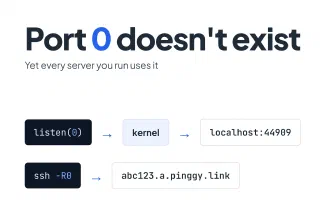
Port 0 is reserved in TCP and UDP, yet bind(0) asks the kernel for a free port and ssh -R0 asks a server for one. How each case works, with Linux and Node.js examples.
Blog posts tagged “Localhost”
Port 0 is reserved in TCP and UDP, yet bind(0) asks the kernel for a free port and ssh -R0 asks a server for one. How each case works, with Linux and Node.js examples.
Guide to https://localhost:11501 - the local port used by the Khajane 2 (K2) desktop app from Karnataka's Department of Treasuries, with fixes for certificate warnings and connection errors.
Explore how you can launch a SaaS product with simple infrastructure, faster testing, and fewer technical headaches while keeping room for growth.
A Product Hunt or Hacker News launch needs more than a live link. Here is how indie developers feed the public URL from a Pinggy tunnel straight into an AI URL to Video tool, polish the cut with InVideo AI, and ship a launch demo without recording anything.
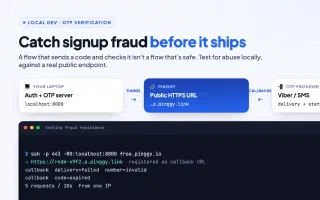
A working OTP flow proves your app sends and checks a code. It doesn't prove your signup holds up against bots. Here's how to test auth for fraud resistance locally with a Pinggy tunnel.
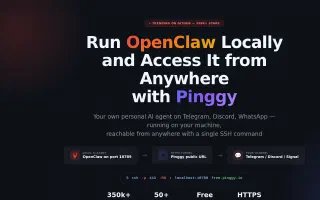
OpenClaw is the fastest-growing open-source AI agent in GitHub history. Learn how to install it locally, expose port 18789 with a Pinggy HTTPS tunnel, and connect Telegram webhook mode - all with one SSH command.
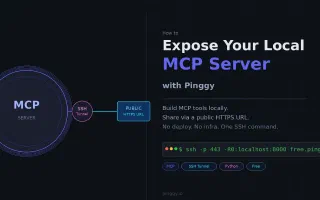
MCP servers run on localhost by default. Here's how to give yours a public HTTPS URL in one SSH command using Pinggy - no deploy, no infra.
Learn how to share a localhost MCP server using Pinggy. This guide covers Streamable HTTP MCP servers, public HTTPS tunnels, testing, authentication, and practical security tips.
Complete guide to localhost:9090 - the default port of the Prometheus web UI and HTTP API, also used by the Cockpit server console and the Openfire admin console.
Complete guide to localhost:4891 - the default port for the GPT4All local API server.