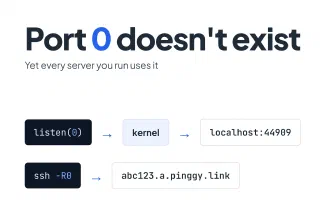
Port 0: The Port That Doesn't Exist
Port 0 is reserved in TCP and UDP, yet bind(0) asks the kernel for a free port and ssh -R0 asks a server for one. How each case works, with Linux and Node.js examples.
Blog posts tagged “Networking”
Port 0 is reserved in TCP and UDP, yet bind(0) asks the kernel for a free port and ssh -R0 asks a server for one. How each case works, with Linux and Node.js examples.
Connect IoT devices to remote monitoring securely: size the link first, use unique credentials and mutual TLS, reach devices over a VPN or an outbound-only tunnel instead of open ports, segment the network, and keep monitoring and patching.
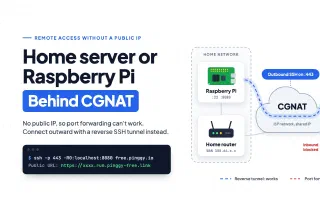
Behind CGNAT your router never gets a public IP, so port forwarding cannot work. How to confirm CGNAT from your WAN address, and how to reach a Raspberry Pi or home server anyway with an outbound SSH reverse tunnel.
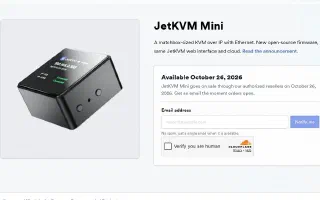
JetKVM Mini packs a full KVM-over-IP into a 42mm aluminum shell for $39, shipping October 26, 2026. Its remote access runs through a cloud dashboard and Tailscale - here is what happens when WebRTC gets blocked, and how to open a backup path with a plain SSH tunnel.
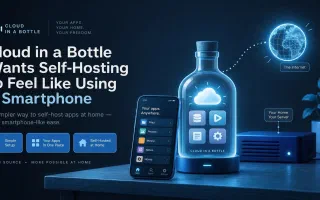
Imbue's new open-source personal cloud platform packages containerized self-hosted apps behind one login and one router. It's a genuinely different take on self-hosting, but its own docs admit the networking story isn't solved yet - here's the gap and how to close it today.
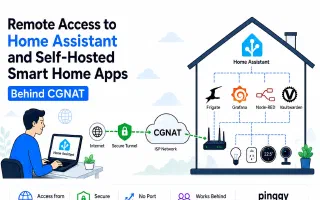
Your ISP put you behind Carrier-Grade NAT, so port forwarding is dead. Here is how to reach Home Assistant, Frigate, Zigbee2MQTT, ESPHome and Node-RED from outside the house using an outbound tunnel, including the trusted_proxies settings that Home Assistant needs before it will answer.
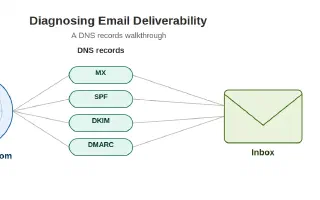
A practical technical guide to diagnosing email deliverability issues with DNS. Learn how to verify MX, SPF, DKIM, and DMARC records using terminal commands, fix duplicate SPF records, and ensure your emails reach the inbox.
How to debug VoIP calls, SMS delivery, and phone number verification: locate the point of failure, read API responses and logs, separate signaling problems from media problems, test webhooks on their own, and trace verification codes end to end.
How student developers can test a mobile app backend from any building on campus: local vs cloud vs hybrid setups, secure tunnels through campus Wi-Fi, a repeatable testing workflow, and the network, auth, and configuration bugs that only appear away from the lab.
Networking basics for student developers: how IP addresses and ports work, what DNS actually does, TCP vs UDP, HTTP status codes and HTTPS, the client-server model, latency vs bandwidth, and the tools to reach for when a request fails.