In this article
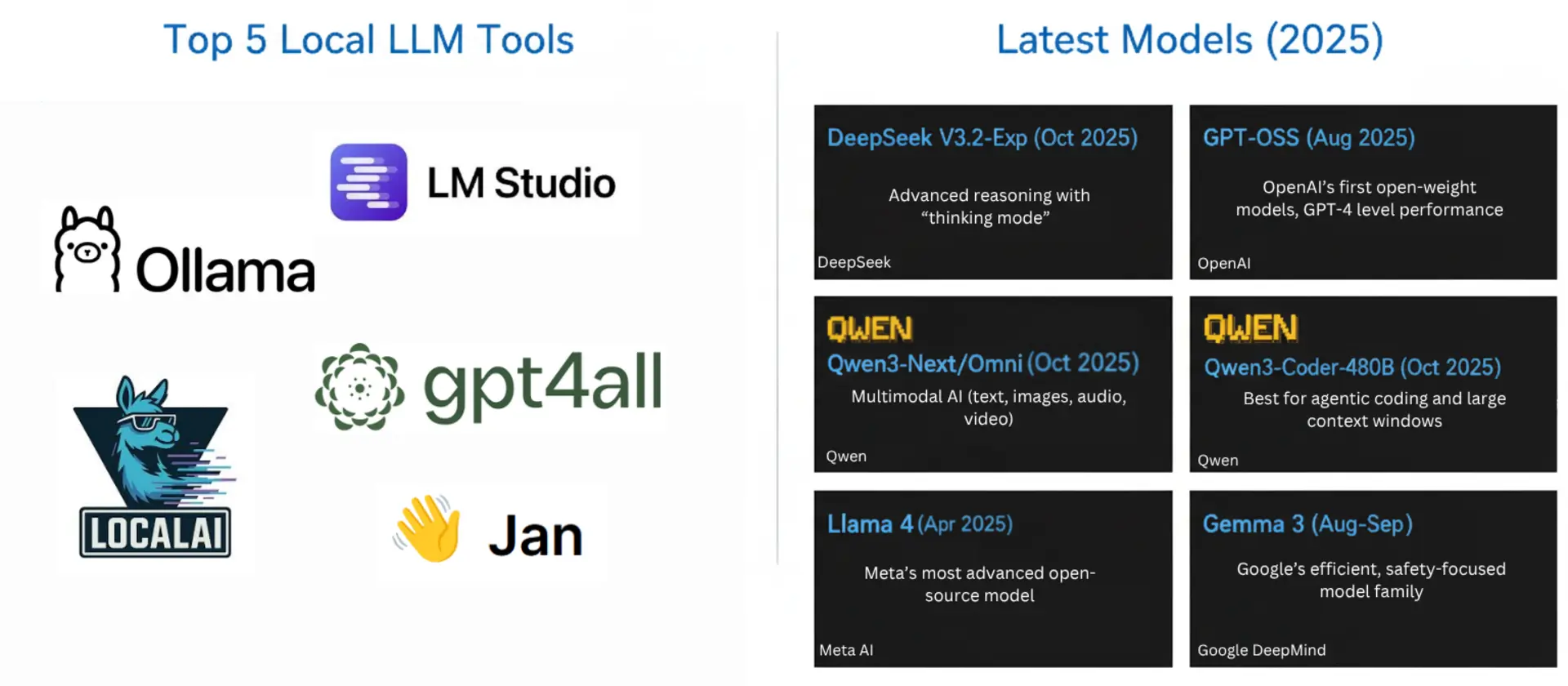
Running powerful AI language models locally has become increasingly accessible in 2026, offering privacy, cost savings, and full control over your data. With releases like Qwen3.6 and Qwen3.5, Google’s Gemma 4, OpenAI’s gpt-oss, Qwen3-Coder-Next for agentic coding, NVIDIA’s Nemotron 3, Mistral Medium 3.5, and DeepSeek-V4-Flash, local LLMs now rival cloud-based services in performance while maintaining complete data privacy and eliminating subscription costs.
The practical question is no longer whether a good open-weight model exists, but which one fits your machine. So this post is organised around a memory budget of 128GB, which is what a maxed-out Mac Studio, a Ryzen AI MAX+ 395 mini PC, or a workstation with a couple of GPUs and a lot of DDR5 gives you. Below are the tools worth installing, a section on Unsloth (whose quantized model files most people are actually running, whether they know it or not), and then the models that genuinely fit, with measured memory numbers rather than vibes.
Summary
Top local LLM tools:
- LM Studio - Best GUI, ships both llama.cpp and MLX engines | Download
- Unsloth - Dynamic GGUF quants plus a local run-and-train UI | Unsloth
- Ollama - One-line commands, best for scripting | Download
- Atomic Chat - Desktop app, fully offline, no terminal | Download
- text-generation-webui - Flexible, extensions, many backends | GitHub
- GPT4All - Beginner-friendly desktop app | Download
- LocalAI - Developer-focused, OpenAI API compatible | LocalAI
Bonus: Jan - Complete ChatGPT alternative, 100% offline | Download
Best models that fit in 128GB (4-bit unless noted):
- Qwen3.6-35B-A3B - 23GB, best all-round pick | Unsloth GGUF
- Gemma 4 26B-A4B - 16-18GB, multimodal, Apache 2.0 | Unsloth GGUF
- Qwen3-Coder-Next - 46GB, 80B MoE built for agentic coding | Unsloth GGUF
- gpt-oss-120b - 66GB, Apache 2.0, strong tool calling | Unsloth GGUF
- Nemotron 3 Super 120B-A12B - 64-72GB, 1M context | Unsloth GGUF
- Qwen3.5-122B-A10B - 70GB, 256K context | Unsloth GGUF
- Mistral Medium 3.5 128B - 80GB dense, multimodal | Unsloth GGUF
- DeepSeek-V4-Flash - 110-135GB at 3-bit, fills a 128GB box | Unsloth GGUF
Why run LLMs locally in 2026?
The reasons have not changed much, but the gap in capability has closed enough that they finally matter:
- Complete data privacy: your prompts and files never leave the machine
- No subscription costs: no per-token billing, no rate limits
- Offline operation: works on a plane, in a lab, behind an air gap
- Customization: fine-tune on your own data, swap chat templates, control sampling
- Reduced latency: no round trip, and no queue behind other customers
Top local LLM tools in 2026
1. LM Studio
LM Studio is the one to install first if you are not sure what you want. It is a desktop app that hides the awkward parts of local inference (finding a model, picking a quant that fits, wiring up an API) behind a UI that does not assume you have read a llama.cpp changelog.
The thing that separates it from the rest is that it ships two inference engines. llama.cpp runs GGUF files on NVIDIA, AMD, Intel and plain CPU. Apple’s MLX runs MLX-format models natively on M-series Macs, and on the same chip an MLX build is commonly 10-40% faster than the equivalent GGUF. LM Studio picks the right one and lets you switch.
Key features:
- Model search that tells you up front whether a quant will fit in your RAM
- Both llama.cpp and MLX engines, switchable per model
- Built-in chat with conversation history, attachments and vision input
- OpenAI-compatible API server, plus tool calling
- Per-model parameter tuning and GPU offload controls without editing config files
Getting started with LM Studio:
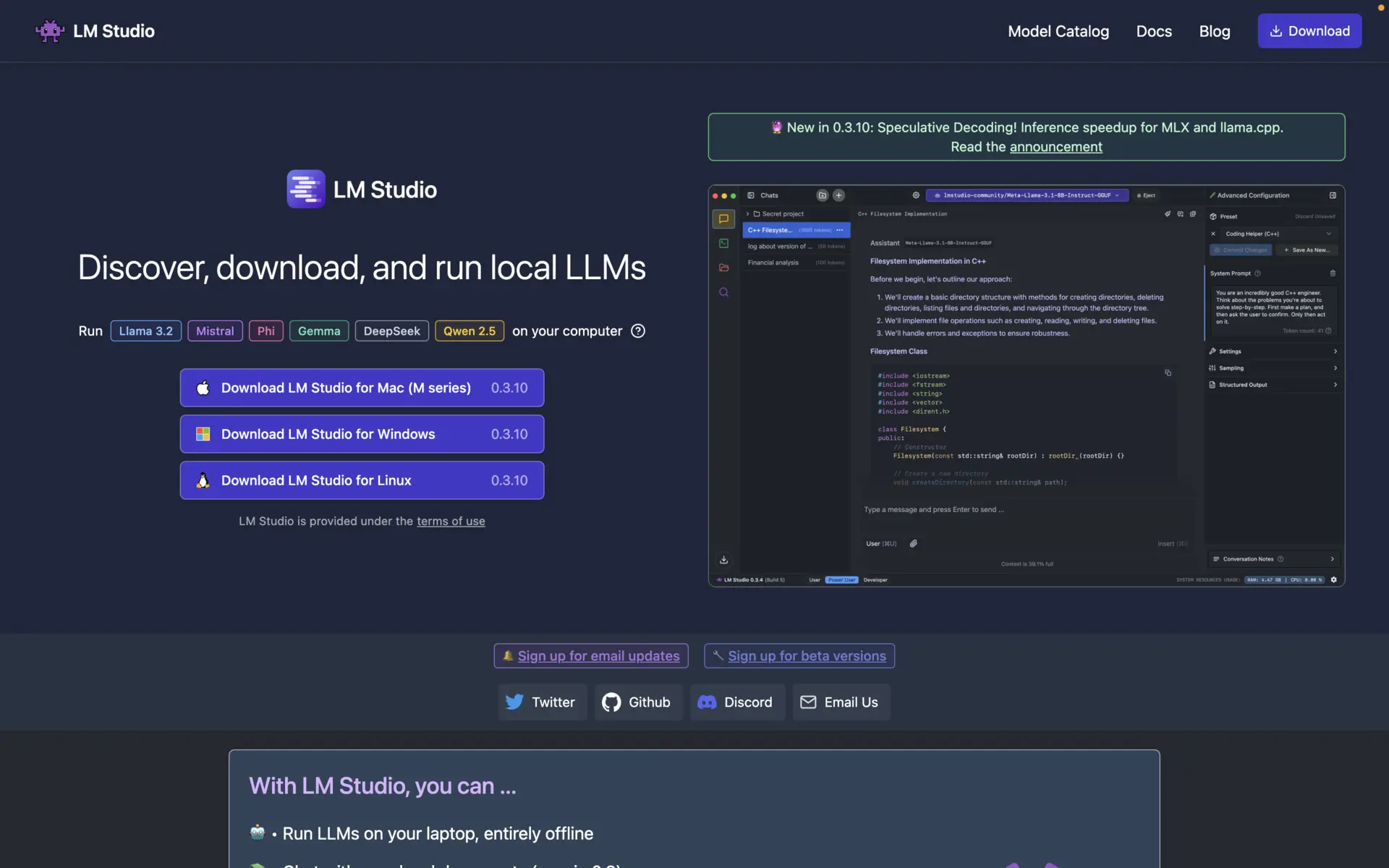
Install LM Studio:
- Visit lmstudio.ai
- Download the installer for your OS
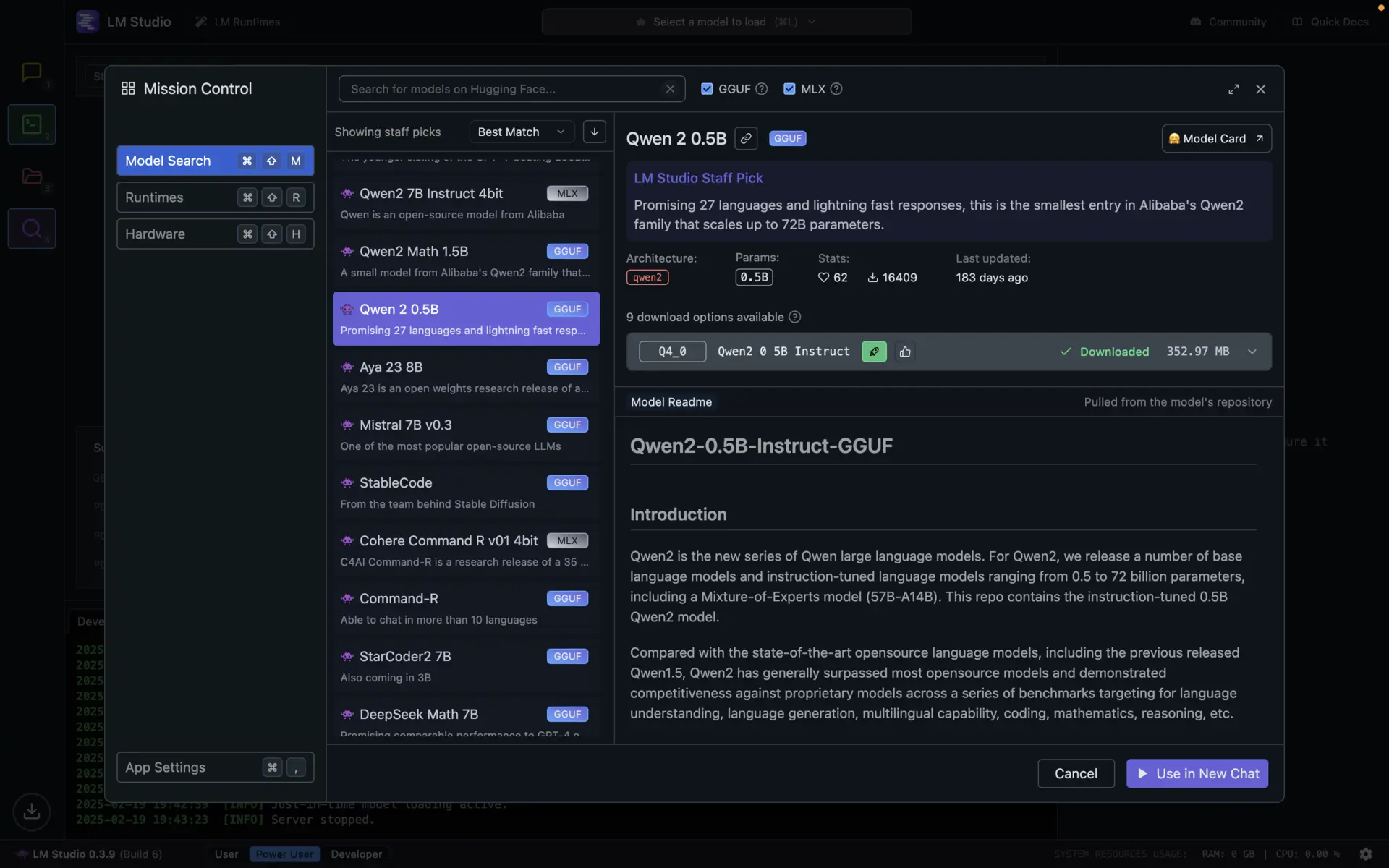
Download models:
- Open the “Discover” tab and search for a model
- LM Studio flags each quant as a likely fit or not, based on your hardware
Chat or enable the API:
- Use the built-in chat interface
- Or start the server from the “Developer” tab and point any OpenAI client at
http://localhost:1234/v1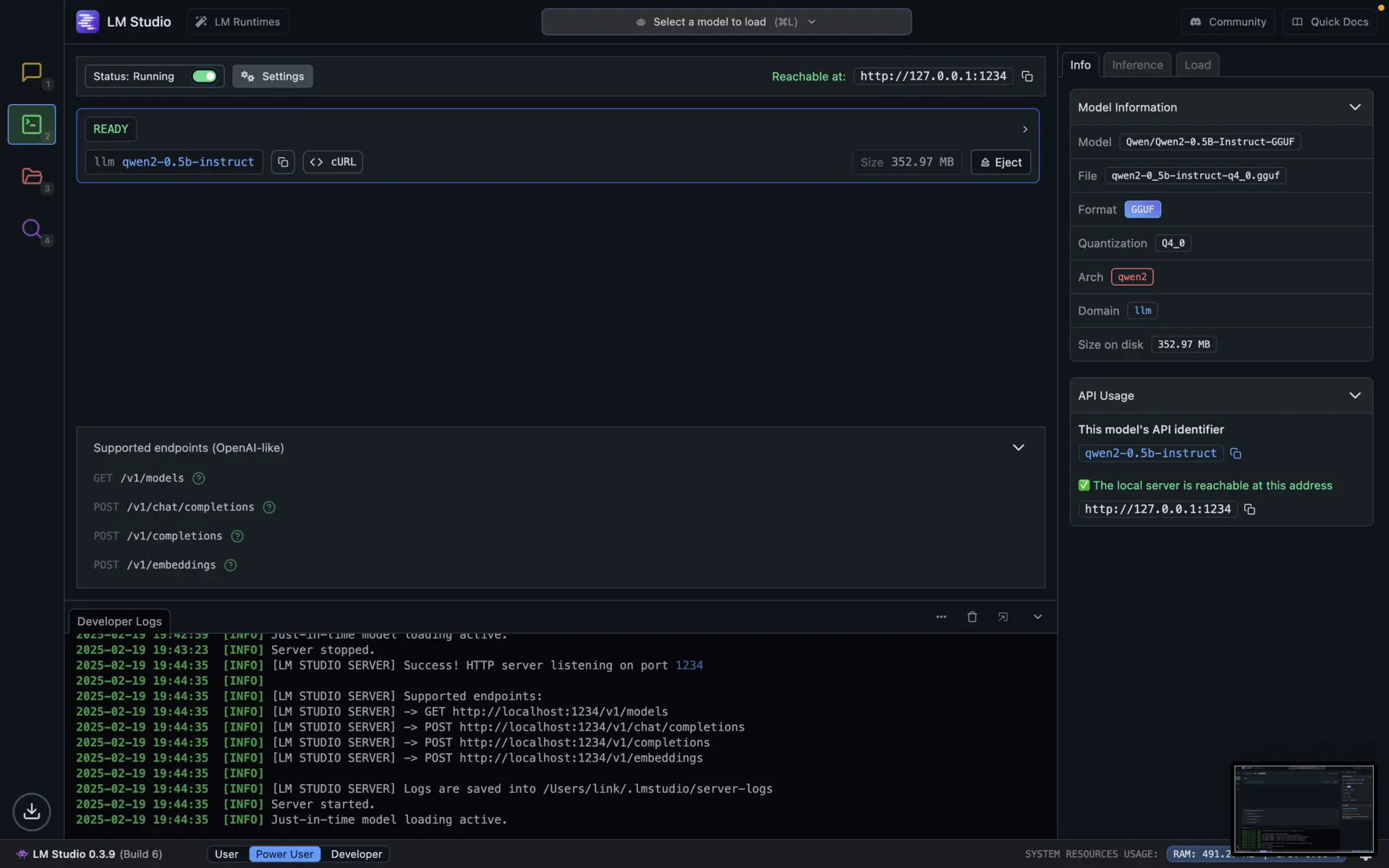
Recent releases have been steady rather than dramatic: the 0.4.x line brought parallel predictions for vision models like Qwen3.5/3.6 and Gemma 4, and KV cache checkpointing that helps a lot with repeated long-context agentic runs. You can track it on the changelog.
Best for: almost everyone. It is the shortest path from “I have a laptop” to “I am talking to a 27B model”.
Related: check out our detailed LM Studio guide for step-by-step setup and advanced features.
2. Unsloth
Unsloth is the most useful project in this list that most people have never explicitly installed. If you have downloaded a GGUF in the last year, there is a good chance it was one of theirs.
It started as a fine-tuning library (train 2x faster with about 70% less VRAM, using custom Triton kernels) and has grown into two things: the quantized model files that a large share of the local ecosystem runs on, and Unsloth Studio, an Apache 2.0 local UI for running and training models on your own hardware. The GitHub repo sits at roughly 69k stars and gets pushed to daily.
Why Unsloth’s quants are worth seeking out
Standard GGUF quantization applies the same bit width to every layer. That is a bad assumption. Embedding layers and the first and last attention blocks carry structure the rest of the model leans on, and squashing them to 4 bits costs far more accuracy than squashing a middle feed-forward layer.
Unsloth Dynamic 2.0 picks a quantization type per layer, and the pattern is derived per model. The layers it protects in Gemma 3 are not the ones it protects in Llama 4. Calibration uses a hand-curated dataset of over 1.5M tokens, and to avoid fooling themselves they measure KL divergence against Wikipedia text rather than against the calibration set.
The numbers back it up. On Gemma 3 27B, comparing against Google’s own quantization-aware training release:
| Quant | Unsloth MMLU (5-shot) | Google QAT | Disk |
|---|---|---|---|
| Q4_K_XL | 71.47% | 71.07% | 15.64GB |
| Q3_K_XL | 70.87% | 69.50% | 12.76GB |
| Q2_K_XL | 68.70% | 67.77% | 9.95GB |
The 4-bit dynamic build is roughly 2GB smaller than the QAT version while scoring about a point higher. On KL divergence (lower is better, and it is the metric that actually tracks “does this behave like the original model”), Gemma 3 12B at Q3_K_XL goes from 0.0878 to 0.0806 for an extra 0.25GB on disk.
You will see these files named with a UD- prefix, as in UD-Q4_K_XL. UD is Unsloth Dynamic, and the _XL suffix means it spends extra bits where they matter. UD-Q4_K_XL is the sensible default for most people.
The other half: bug fixes
The less advertised benefit is that Unsloth tends to find and fix the chat template and tokenizer bugs that ship with new model releases. They have worked directly with the teams behind gpt-oss, Qwen3, Llama 4, Mistral and Gemma on issues that changed measured accuracy, including patches upstreamed into llama.cpp. When a major model drops and the first weekend’s worth of “this model is dumb” posts turn out to be a broken Jinja template, the fixed GGUF is usually theirs.
Community discussion on the Hugging Face repos is worth reading before you pick a file. The short version of the recurring UD-Q4_K_XL vs Q4_K_M question: the XL variant uses Q5_K on the important matrices where Q4_K_M mostly uses Q6_K, and for equal file size the XL build generally wins.
The honest caveat: on small dense models, the gap between a Dynamic quant and a good conventional imatrix quant is real but modest, and sometimes the file sizes come out nearly identical. The wins get large on mixture-of-experts models and at low bit depths (3-bit and below), which is exactly where you will be operating if you are trying to squeeze a 284B model into 128GB.
Unsloth Studio: run and train in one app
Unsloth Studio is the newer half of the project, and it is the reason Unsloth belongs in a list of tools rather than just a footnote about file formats. It is a local web UI (still marked Beta) that covers both inference and training, on Windows, Linux, WSL and macOS.
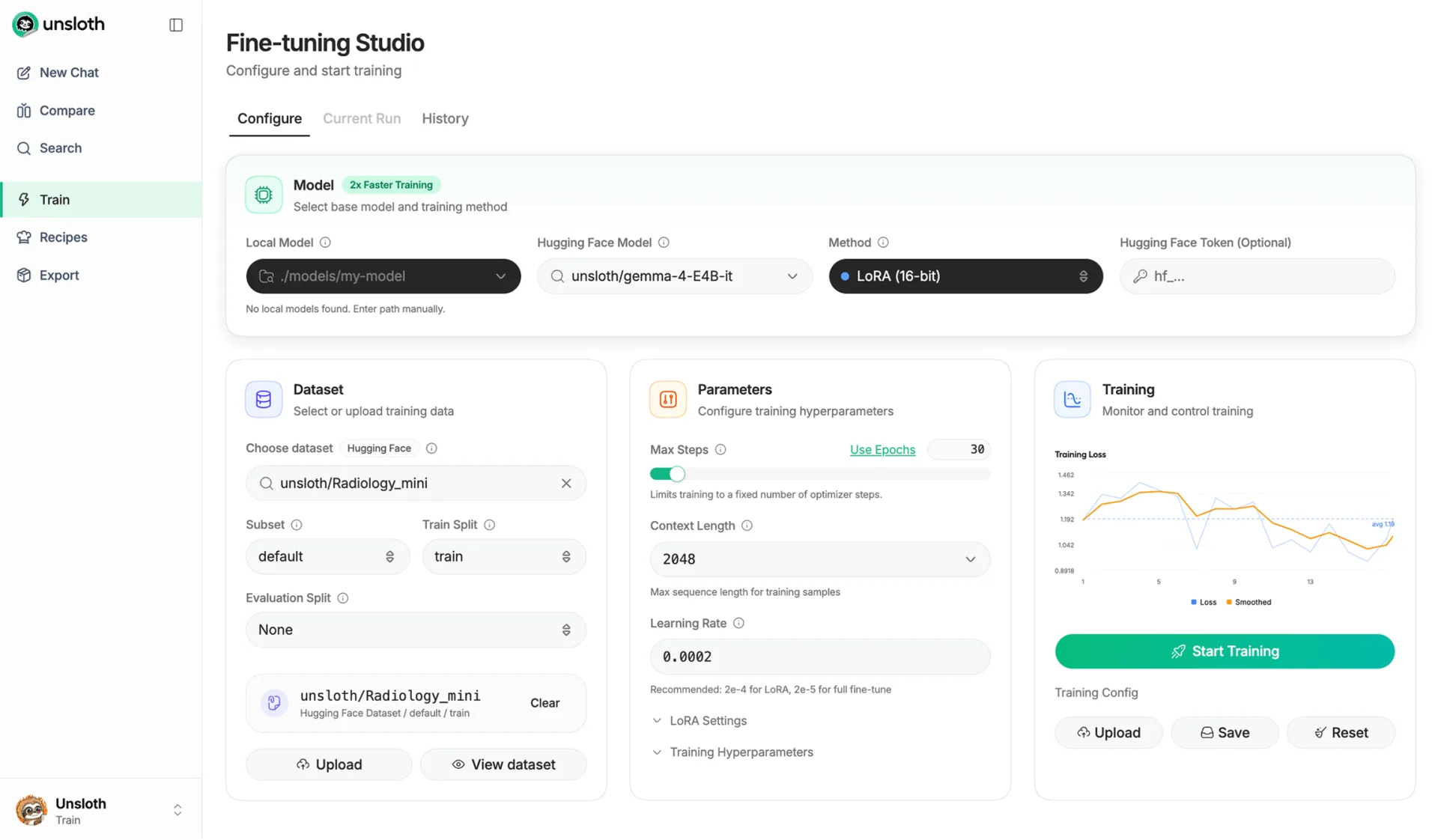
On the inference side it does what LM Studio does, plus a few things it does not:
- Search, download and run GGUF, MLX and safetensors models, including LoRA adapters
- GGUF hardware controls: pick GPUs and layer counts, offload MoE experts to CPU, use multi-GPU or tensor parallelism. This is the knob that decides whether a 120B MoE actually runs on your box
- Model arena to run the same prompt through two models side by side
- Self-healing tool calling, code execution, and web/PDF search
- Local RAG with a choice of embedding models
- Chat with images, audio, PDFs, DOCX and code
- OpenAI and Anthropic-compatible endpoints (
/v1/chat/completions,/v1/responses,/v1/messages) - Can also front remote providers and servers (OpenAI, Anthropic, vLLM, Ollama) from the same UI
For larger PDF files that hit upload limits or slow down local inference, it helps to compress PDF documents down to a manageable size before feeding them into the model.
On the training side, which is where Unsloth started:
- Fine-tune and run RL on 500+ models, roughly 2x faster with about 70% less VRAM, and up to 12x faster on MoE models
- LoRA, QLoRA, full fine-tuning, pretraining and RL, in 4-bit, 16-bit or FP8
- Data Recipes build training sets from PDF, CSV or DOCX files in a visual node editor
- GRPO and vision RL with about 80% less VRAM, and long-context training at 500K+ tokens
- Live observability for loss curves and GPU usage
- Export the result straight to GGUF or 16-bit safetensors, so a fine-tune goes back into your runner without a separate conversion step
Hardware support is broader than you might expect: NVIDIA RTX 30/40/50 and Blackwell, AMD via ROCm on Windows and Linux, Vulkan for GGUF inference on Intel GPUs, and macOS with training plus both MLX and GGUF inference. CPU-only works for chat and Data Recipes.
Getting started with Unsloth:
Install (macOS, Linux, WSL):
curl -fsSL https://unsloth.ai/install.sh | shOn Windows PowerShell:
irm https://unsloth.ai/install.ps1 | iexThe same command updates an existing install.
Launch Unsloth Studio:
unsloth studioThen open the UI in a browser, search for a model and download it. To expose it on your network instead of just localhost, pass a host and port:
unsloth studio -H 0.0.0.0 -p 8888Point a coding agent at your local model:
unsloth start claudecodex,opencodeandhermeswork the same way. You can also keep your usual cloud model and attach a local one as a subagent:unsloth start claude --as-subagent --model unsloth/model-GGUF:quant
Best for: anyone squeezing the most quality out of a fixed memory budget, and anyone who wants to fine-tune a model and run it without renting a GPU or leaving one app.
3. Ollama
Ollama remains the fastest way to get a model running from a terminal, and it is still the easiest thing to script against or drop into a Docker Compose file.
Key features:
- One-line commands to pull and run models
- A curated library, so you are not choosing between 40 quants of the same model
- Cross-platform (Windows, macOS, Linux), with MLX optimizations on Apple Silicon
- OpenAI-compatible API on port 11434
- Straightforward
Modelfileformat for pinning system prompts and parameters
Getting started with Ollama:
Install Ollama:
- Visit ollama.com/download

- Visit ollama.com/download
Run a model:
# Good default on a 32GB machine
ollama run qwen3.6

# Fits comfortably in 16GB
ollama run gemma4:12b

# Reasoning and tool calling, needs ~66GB
ollama run gpt-oss:120b
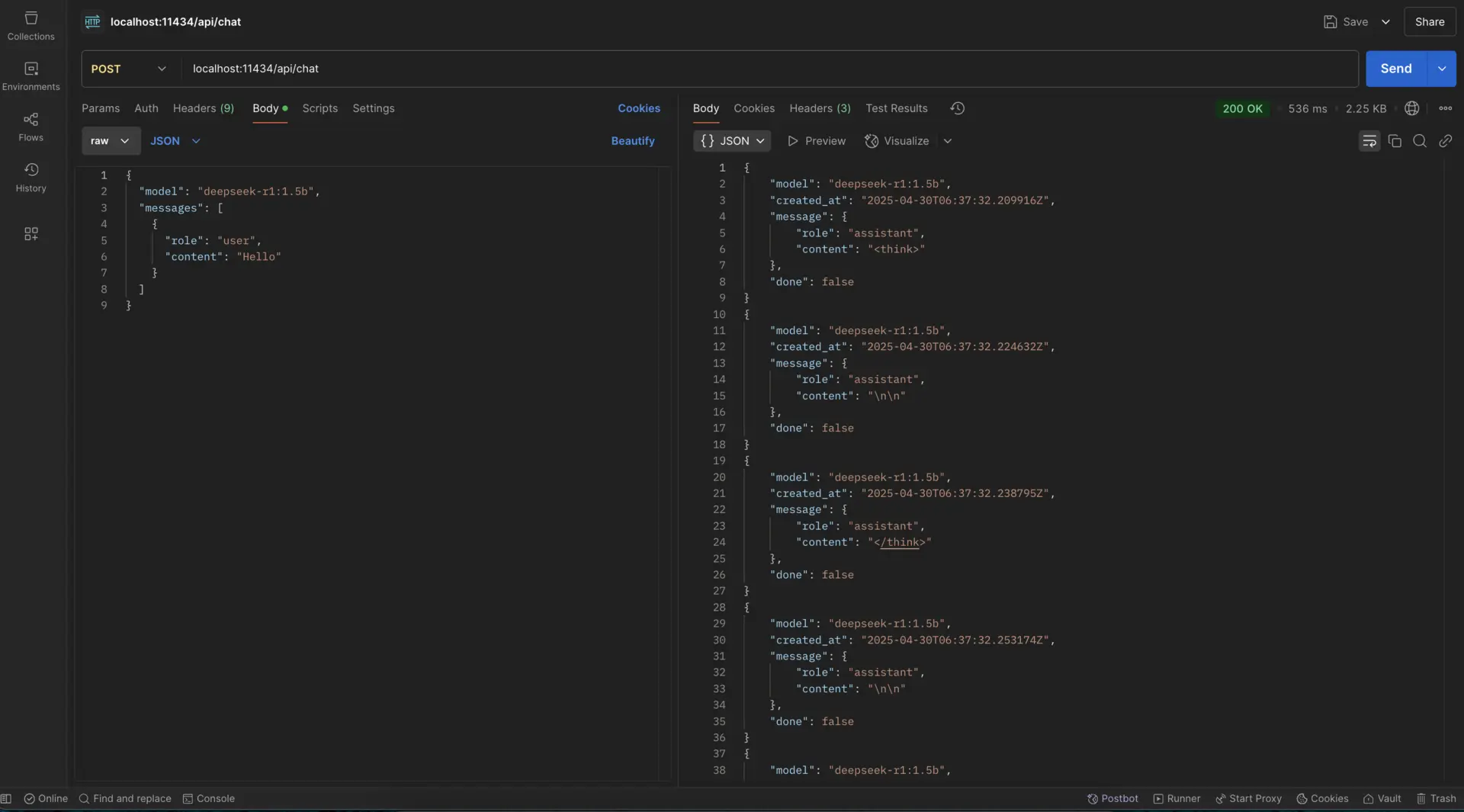
Use the API:
curl http://localhost:11434/api/chat -d '{
  "model": "qwen3.6",
  "messages": [
    {"role": "user", "content": "Explain KV cache quantization in two sentences"}
  ]
}'
Model tags move around, so check ollama.com/library for what is currently published before scripting against a specific tag.
Best for: developers who live in a terminal, and anyone automating local inference.
Related: learn how to run Ollama on Google Colab or share your Ollama API online for remote access.
4. Atomic Chat
If Ollama’s terminal-and-API approach feels a little bare and you would rather just open an app and start typing, Atomic Chat fills that gap. It is a desktop chat app that runs open-source LLMs entirely on your own machine, wrapping local inference in a graphical interface: no command line, no API calls, and no data leaving your device.
Key features:
- Fully local, offline inference, so your prompts and files never leave your machine
- Pick a model, download it, and chat in a familiar window
- Runs popular open-source models without manual environment setup
- Private by default, which is a good fit for sensitive or confidential work
Getting started:
- Install Atomic Chat from atomic.chat
- Choose a model from the built-in list and let it download locally
- Start chatting, with no terminal or configuration required
Best for: non-technical users, or anyone who wants a private, offline ChatGPT-style experience without the setup overhead of CLI-based tools.
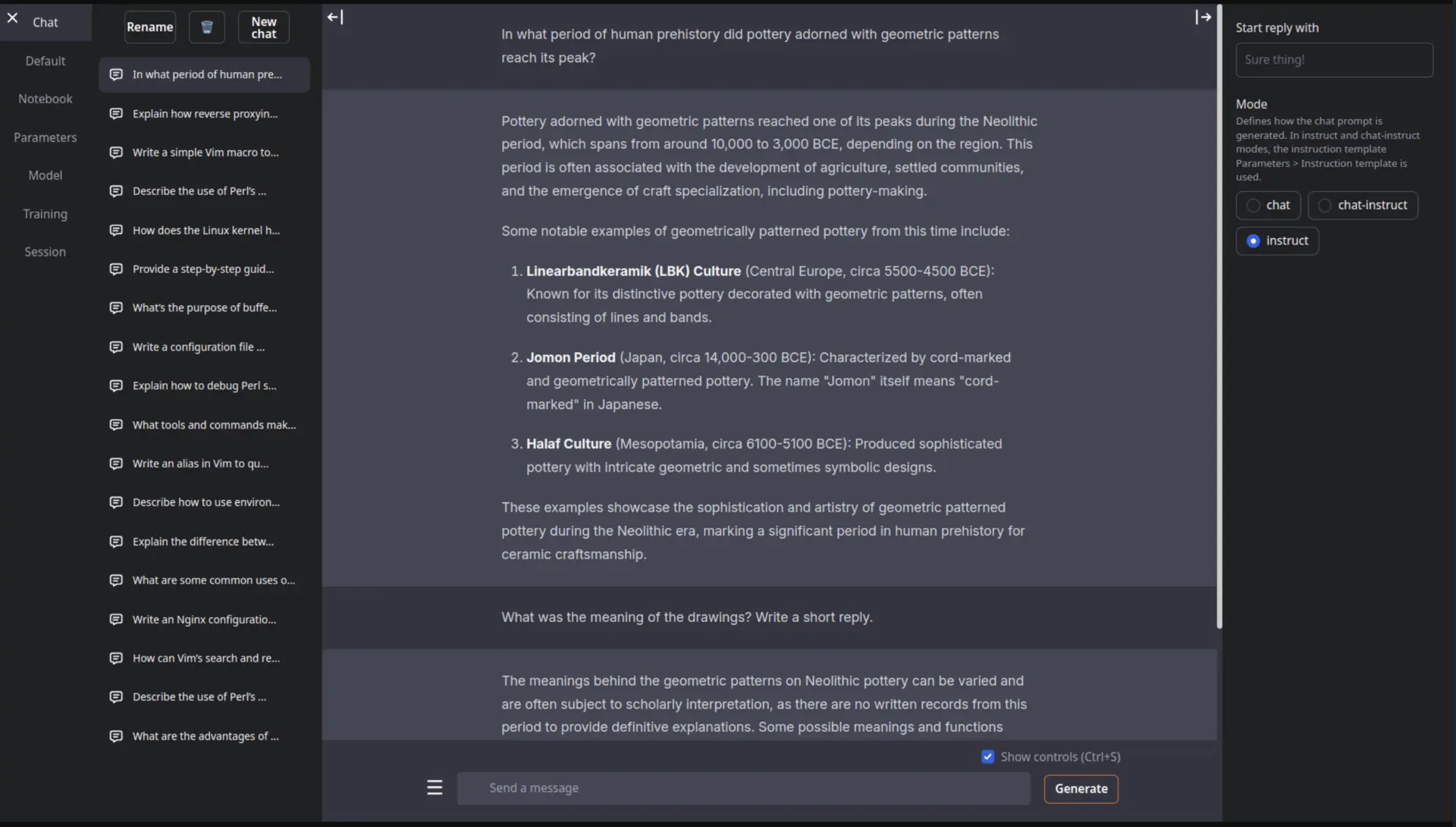
5. text-generation-webui
If you want to poke at every knob, text-generation-webui is still the most configurable option, and the portable builds removed the old dependency-hell complaint.
Key features:
- Portable builds that need no installation
- Chat and raw text completion modes
- Multiple backends (GGUF, GPTQ, AWQ, ExLlama)
- Extensions ecosystem
- Character creation and built-in RAG
Getting started:
Grab a portable build:
- Download from GitHub Releases
- Unzip and run, no install step
Launch the web UI:
text-generation-webui --listenDownload models through the interface:
- Open the “Models” tab and pull directly from Hugging Face
Best for: tinkerers who want sampler-level control and format flexibility.
6. GPT4All
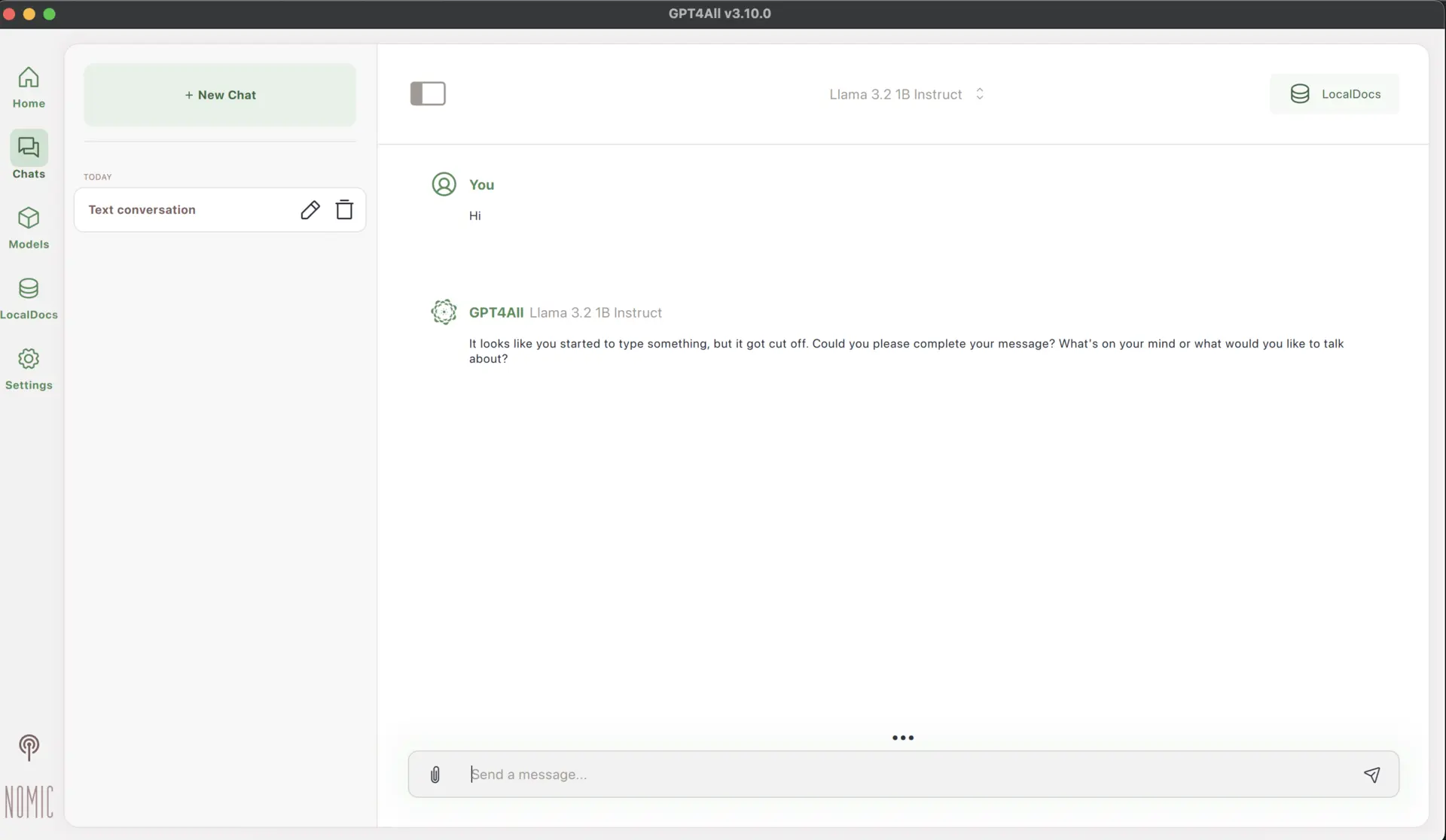
GPT4All is a conventional desktop application, which is exactly its appeal. No terminal, no engine selection, no quant naming conventions.
Key features:
- Desktop app with a short setup path
- Pre-configured model list
- Chat with conversation history
- Local RAG over your own documents
- Plugin ecosystem
Getting started:
- Install GPT4All from gpt4all.io
- Select a model using the built-in downloader
- Start chatting, adjusting parameters from the settings panel
Best for: non-technical users, and Windows machines where you want one installer and nothing else.
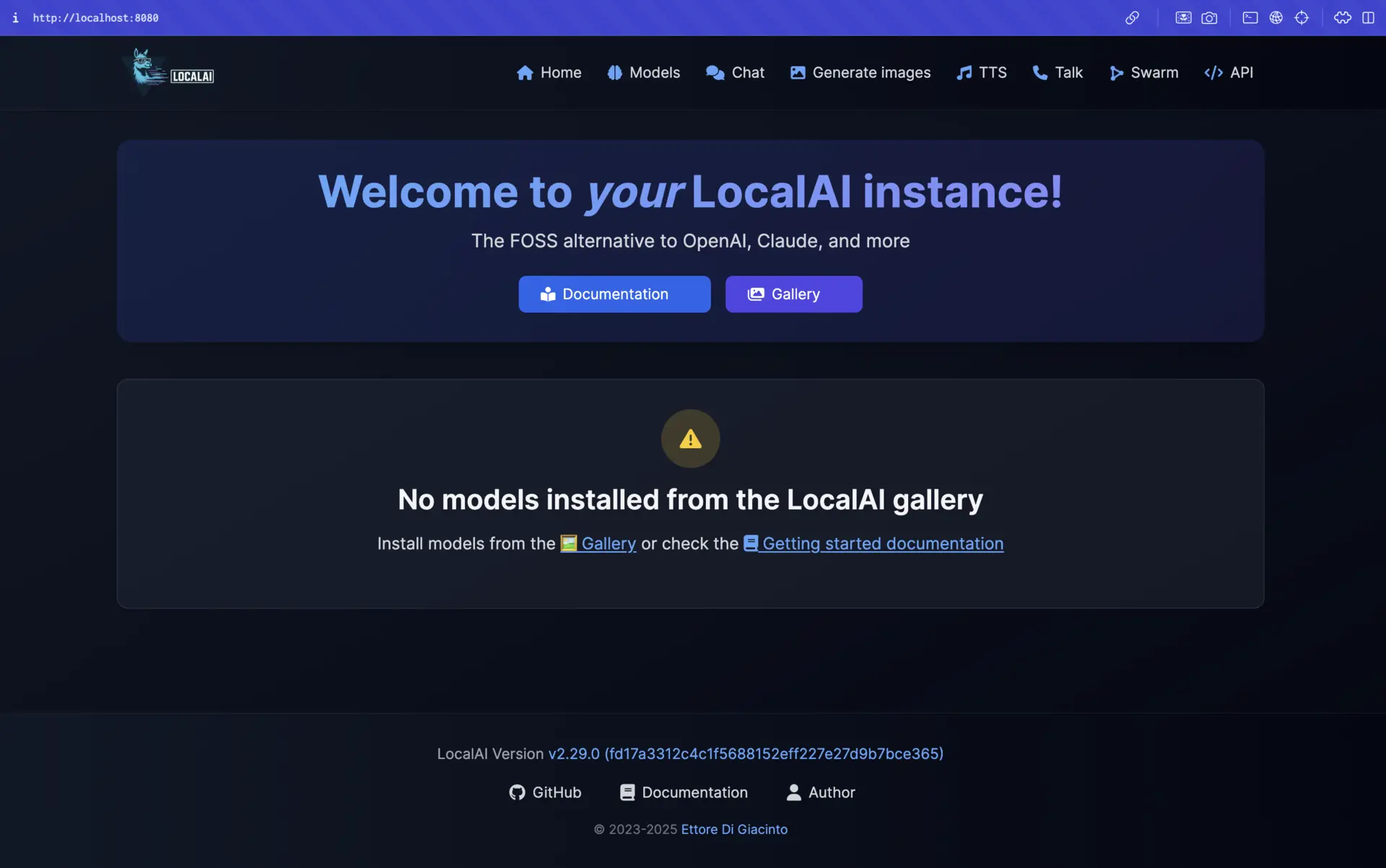
7. LocalAI
LocalAI is the option you reach for when the LLM is a component in a larger system rather than something you chat with.
Key features:
- Drop-in replacement for the OpenAI API
- Multiple model architectures (GGUF, ONNX, PyTorch)
- Multi-modal: text, image generation, audio transcription and TTS
- Docker-ready, which makes it easy to pin in CI
Getting started with LocalAI:
Using Docker:
# CPU only image:
docker run -ti --name local-ai -p 8080:8080 localai/localai:latest-cpu

# Nvidia GPU:
docker run -ti --name local-ai -p 8080:8080 --gpus all localai/localai:latest-gpu-nvidia-cuda-12

# CPU and GPU image (bigger size):
docker run -ti --name local-ai -p 8080:8080 localai/localai:latest

# AIO images (pre-downloads a set of models ready for use)
docker run -ti --name local-ai -p 8080:8080 localai/localai:latest-aio-cpu
Browse and download models at
http://localhost:8080/browse/
Best for: developers replacing an OpenAI dependency in an existing application.
8. BlueQubit
BlueQubit is the outlier here: it is a cloud quantum computing platform, not a local LLM runner. It is included because the workflow rhymes. If you already prototype models in Python and Jupyter, BlueQubit gives you the same loop for quantum circuits without buying or booking hardware.
You write circuits against a Python SDK, then execute them on a simulator or on real quantum backends from multiple providers. It speaks Qiskit and Cirq, so existing circuit code mostly carries over.
Getting started with BlueQubit:
- Create an account at bluequbit.io on the free tier
- Install the SDK:
pip install bluequbit - Connect and run a circuit against a simulator or an available hardware backend
- Analyze and iterate from your notebook
Best for: developers and researchers who want to learn quantum computing without managing hardware.
Worth being clear about the tradeoff: nothing here runs on your machine, and quantum computing solves a different class of problem than an LLM does. If you came to this post to run a chat model offline, this one is adjacent, not a substitute.
Bonus tool: Jan
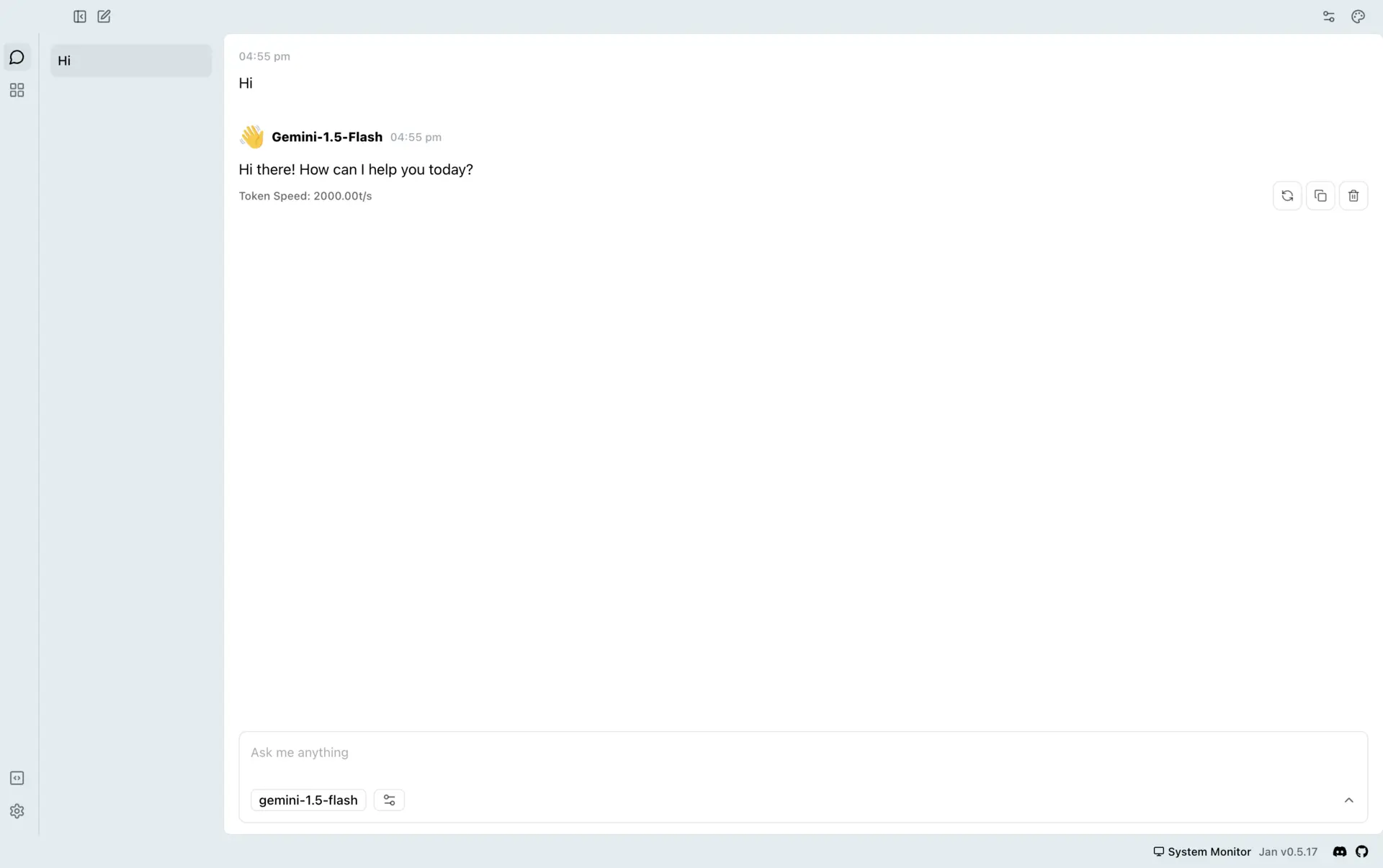
Jan is a ChatGPT-shaped desktop app that runs fully offline, and it is the nicest looking of the bunch.
Key features:
- Model library covering Llama, Gemma, Mistral and Qwen
- OpenAI-compatible API server
- Extensions system
- Can also call remote APIs like Groq and OpenRouter when you want them
Getting started with Jan:
- Install Jan from jan.ai (Windows, macOS or Linux)
- Open the Model Library and pick something that fits your hardware
- Start chatting, and optionally enable the API server
Best for: a polished all-in-one app that works across platforms.
Related: learn how to self-host Jan as an AI assistant and make it accessible from anywhere.
Best models that fit in 128GB
First, the rule that governs everything below: the quantized weights plus the KV cache have to fit in RAM and VRAM combined. If the model spills to disk, throughput collapses. Long context makes this worse, because the KV cache grows with it, so leave headroom rather than picking the largest file that technically fits.
All memory figures below are for 4-bit Unsloth Dynamic quants unless stated otherwise, and they mean total RAM plus VRAM.
| Model | Params (active) | 4-bit memory | Good at |
|---|---|---|---|
| Gemma 4 12B | 12B dense | 7-8GB | General use on a laptop |
| gpt-oss-20b | 20B MoE | 14GB | Reasoning, tool calling |
| Gemma 4 26B-A4B | 26B (4B) | 16-18GB | Multimodal, fast |
| Qwen3.6-27B | 27B dense | 18GB | Quality per GB |
| Gemma 4 31B | 31B dense | 17-20GB | Strongest dense Gemma |
| Qwen3.6-35B-A3B | 35B (3B) | 23GB | Best all-rounder |
| Qwen3-Coder-Next | 80B (3B) | 46GB | Agentic coding |
| Nemotron 3 Super | 120B (12B) | 64-72GB | Reasoning, 1M context |
| gpt-oss-120b | 120B MoE | 66GB | Tool calling, Apache 2.0 |
| Qwen3.5-122B-A10B | 122B (10B) | 70GB | Frontier-ish general use |
| Mistral Medium 3.5 | 128B dense | 80GB | Multimodal, multilingual |
| DeepSeek-V4-Flash | 284B (13B) | 110-135GB (3-bit) | The ceiling of 128GB |
1. Qwen3.6 (27B and 35B-A3B)
Alibaba’s Qwen3.6 is the default recommendation for most people with a decent machine. Two variants: a dense 27B and a 35B mixture-of-experts with 3B active parameters. The MoE is the more interesting one, because activating 3B parameters per token means it generates at roughly small-model speed while holding 35B worth of knowledge.
Both ship with 256K context across 201 languages, extendable toward 1M with YaRN. There are also MTP (multi-token prediction) builds that trade about 1GB of extra memory for lower latency.
- Memory: 27B needs 18GB at 4-bit, 30GB at 8-bit. 35B-A3B needs 23GB at 4-bit, 38GB at 8-bit
- License: Apache 2.0
- Unsloth GGUFs: Qwen3.6-35B-A3B-GGUF and Qwen3.6-27B-GGUF
- For Macs: Qwen3.6-27B-UD-MLX-4bit runs on the MLX engine
- Guide: Unsloth's Qwen3.6 guide
- Compatible with: LM Studio, Unsloth, Ollama, text-generation-webui, Jan
2. Gemma 4 (12B, 26B-A4B and 31B)
Google’s Gemma 4 family is the best option under 20GB, and the 12B in particular is the model to hand someone with a 16GB laptop. The architecture is worth a note: there are no separate multimodal encoders. Vision goes through a single matrix multiplication and raw audio is projected into the same space as text tokens, both feeding straight into the LLM backbone.
The 26B-A4B is a MoE that activates 4B parameters per token, which is why it feels quicker than its size suggests. The 31B is the strongest dense member. Context is 128K on the E2B/E4B edge models and 256K on the rest.
Google also publishes QAT versions, and Unsloth mirrors those too, so you can compare against their Dynamic builds directly.
- Memory: 12B needs 7-8GB at 4-bit. 26B-A4B needs 16-18GB. 31B needs 17-20GB
- License: Gemma terms of use
- Unsloth GGUFs: 12B, 26B-A4B, 31B, E4B for edge devices
- QAT builds: gemma-4-26B-A4B-it-qat-GGUF
- Guide: Unsloth's Gemma 4 guide
- Compatible with: LM Studio, Unsloth, Ollama, text-generation-webui, Jan
3. Qwen3-Coder-Next
If you are running a local model for coding, this is the one. 80B total with 3B active, 262K native context, and it is built specifically for agentic coding rather than being a general model that happens to write code.
The 3B active parameter count matters more here than anywhere else, because agentic coding loops are throughput-bound. Unsloth’s docs put it at 20+ tokens/s when the quant fits entirely in memory, which it does with room to spare on 128GB.
- Memory: 46GB at 4-bit, 85GB at 8-bit
- Unsloth GGUF: Qwen3-Coder-Next-GGUF
- Guide: Unsloth's Qwen3-Coder-Next guide
- Compatible with: LM Studio, Unsloth, Ollama, llama.cpp, vLLM
4. gpt-oss (20B and 120B)
OpenAI’s open-weight models are Apache 2.0, natively MXFP4, and still among the best available for tool calling and structured reasoning. The 120B is the sweet spot on a 128GB machine: about 66GB of memory for 6+ tokens/s, which leaves plenty for context.
The 20B is the better choice if you are sharing the machine with anything else, at around 14GB.
- Memory: 20B needs 14GB, 120B needs 66GB
- Context: 128K on both
- License: Apache 2.0
- Unsloth GGUFs: gpt-oss-120b-GGUF and gpt-oss-20b-GGUF
- Guide: Unsloth's gpt-oss guide
- Compatible with: LM Studio, Unsloth, Ollama, LocalAI, llama.cpp
5. NVIDIA Nemotron 3 (Nano, Super and Ultra)
NVIDIA’s Nemotron 3 line is a hybrid reasoning MoE family with a 1M token context window. Nemotron-3-Super-120B-A12B is the one that fits a 128GB budget: 120B total, 12B active, and 64-72GB at 4-bit. The 12B active count makes it heavier per token than gpt-oss-120b, but it scores well on AIME 2025, Terminal Bench and SWE-Bench Verified.
Nemotron-3-Nano-30B-A3B is the small sibling if you want the same behaviour on a laptop. Nemotron-3-Ultra-550B-A55B exists but is well outside 128GB.
- Memory: Super needs 64-72GB at 4-bit, 128GB at 8-bit. Nano 30B-A3B is far smaller
- License: NVIDIA Open Model License (not Apache, check the terms for commercial use)
- Unsloth GGUFs: Super 120B-A12B and Nano 30B-A3B
- Guide: Unsloth's Nemotron 3 Super guide
- Compatible with: LM Studio, Unsloth, Ollama, vLLM, SGLang, llama.cpp
6. Qwen3.5-122B-A10B
The larger Qwen3.5 sits just under the 128GB line at 70GB in 4-bit, or 60GB at 3-bit if you want more room for context. 122B total, 10B active, 256K context. The Qwen3.5 family is unusually broad, running from 0.8B up to 397B, so it is easy to prototype on a small one and move up.
Note the 397B-A17B variant needs 214GB at 4-bit, so it is out of reach here.
- Memory: 60GB at 3-bit, 70GB at 4-bit, 106GB at 6-bit
- License: Apache 2.0
- Unsloth GGUF: Qwen3.5-122B-A10B-GGUF
- Guide: Unsloth's Qwen3.5 guide
- Compatible with: LM Studio, Unsloth, Ollama, LocalAI, Jan
7. Mistral Medium 3.5 128B
The only large dense model on this list. Mistral Medium 3.5 is a 128B dense multimodal hybrid reasoning model with a 256K context window, and it needs 80GB at 4-bit or 64GB at 3-bit.
Dense means every parameter runs for every token, so it is slower than a MoE of similar memory footprint. What you get back is consistency: dense models tend to degrade more gracefully on tasks that fall outside what the MoE routing was tuned for.
- Memory: 64GB at 3-bit, 80GB at 4-bit, 128-170GB at 8-bit
- Unsloth GGUF: Mistral-Medium-3.5-128B-GGUF
- Guide: Unsloth's Mistral 3.5 guide
- Compatible with: LM Studio, Unsloth, Ollama, vLLM, llama.cpp
8. DeepSeek-V4-Flash
This is the ceiling. DeepSeek-V4-Flash-0731 is 284B total with 13B active and a 1M context window, and it does not fit at 4-bit (that needs 162GB). At 3-bit (UD-IQ3_XXS) it lands at 103GB on disk and 110-135GB of memory, which is precisely the case Unsloth’s dynamic quantization was built for: at 3 bits, uniform quantization falls apart, and per-layer bit allocation is the difference between a usable model and a broken one.
Unsloth’s own tutorial for this model uses the 3-bit quant specifically because it fits a 128GB device. Budget at least 110GB of actual free memory and do not expect to run much else.
- Memory: 92GB at 1-bit, 102GB at 2-bit, 110-135GB at 3-bit, 162GB at 4-bit
- Unsloth GGUF: DeepSeek-V4-Flash-0731-GGUF
- Guide: Unsloth's DeepSeek-V4 guide
- Compatible with: LM Studio, Unsloth, llama.cpp, vLLM, SGLang
What does not fit in 128GB
Worth stating plainly, because these are the models that dominate the headlines:
- GLM-5.2 (744B total, 40B active) needs 223GB even at 1-bit. The 2-bit build fits a 256GB Mac, not a 128GB one. GGUF
- Kimi K2.6 and K3 are trillion-parameter class. GGUF
- DeepSeek-V4-Pro is 1.6T total with 49B active
- Nemotron-3-Ultra-550B-A55B and Qwen3.5-397B-A17B (214GB at 4-bit) are both out
- MiniMax M3 is also above the line. GGUF
If you want to run these, the practical options are a 256GB or 512GB Mac Studio, a multi-GPU server, or MoE expert offloading to disk, which works but is slow enough that you will not enjoy it.
Related: want to run DeepSeek models specifically? Check out our guide on running DeepSeek locally.
Conclusion
The practical picture in 2026: install LM Studio if you want the shortest path, use Unsloth’s Dynamic GGUFs whatever runner you end up with, and reach for Ollama when you are scripting.
On models, the memory budget decides more than the leaderboard does. With 16GB, Gemma 4 12B is a genuinely good assistant. With 32GB, Qwen3.6-35B-A3B is the best all-round model most people can run. With 128GB, gpt-oss-120b and Nemotron 3 Super are comfortable, Qwen3-Coder-Next handles agentic coding, and DeepSeek-V4-Flash at 3-bit is the largest thing that will fit.
The frontier open-weight models (GLM-5.2, Kimi K3, DeepSeek-V4-Pro) are still out of reach on a single 128GB machine, and pretending otherwise is how people end up with a model paging to SSD at two tokens per second. The gap between “best open model” and “best open model I can actually run” is real, but at 128GB it is narrower than it has ever been.